eFitHub
Coaching platform for independent trainers

Your coaching business, in one connected system.

Build programs, schedule every session, track progress, message clients and run live video without stitching together separate tools. Flat pricing. Every coaching feature included.

Build the exercise prescription
Structured exercise block with sets, reps, weight, rest and video controls
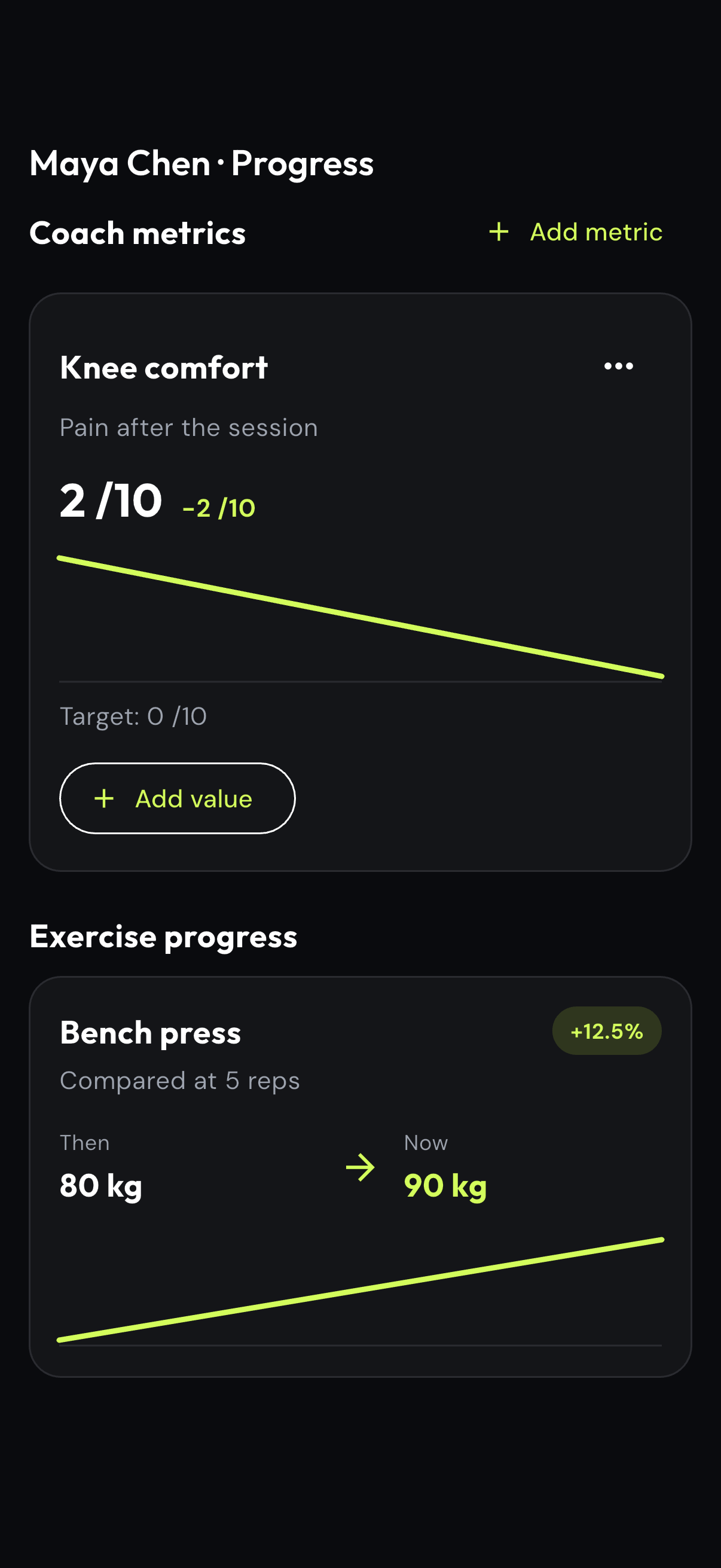
Review the metric that matters
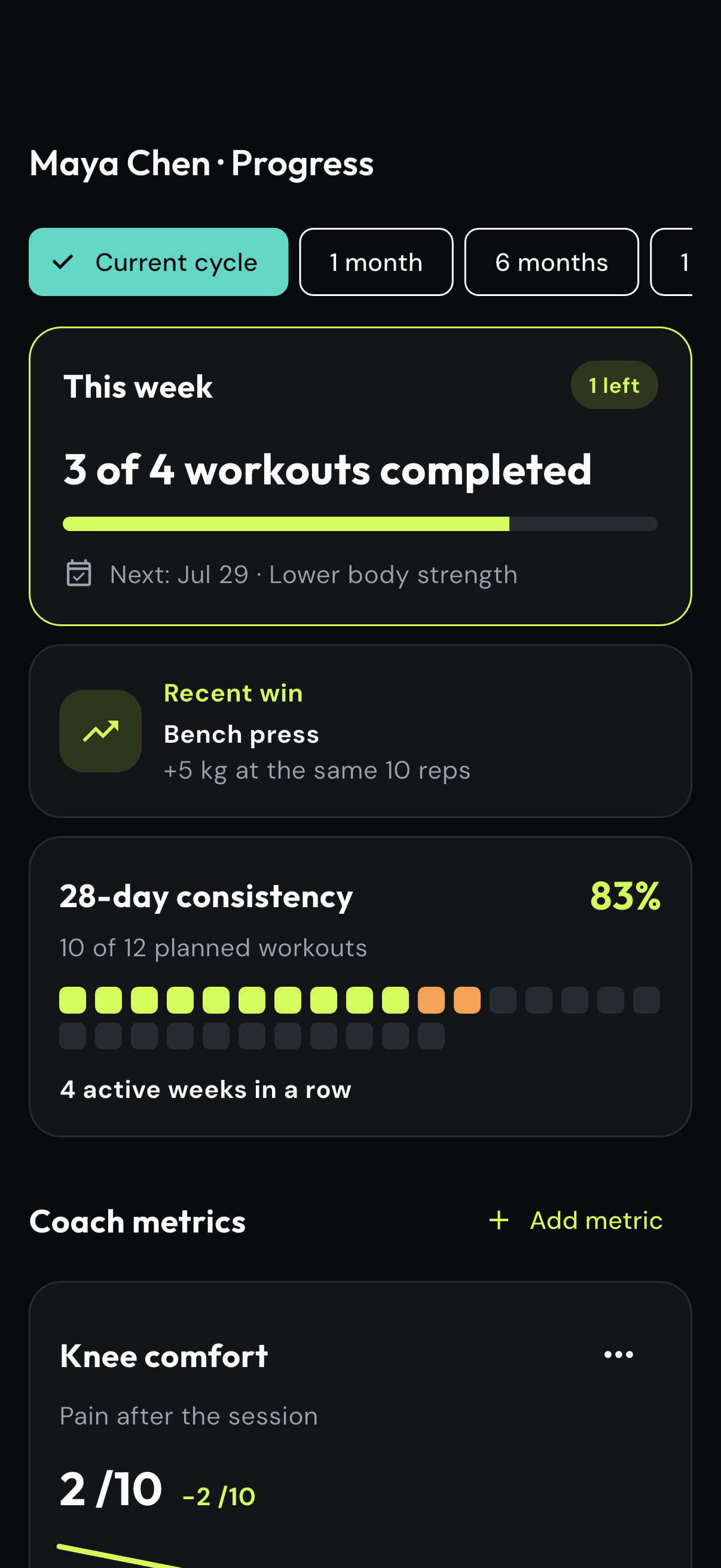
Coach progress metrics showing knee comfort and bench press improvement
See the weekly target
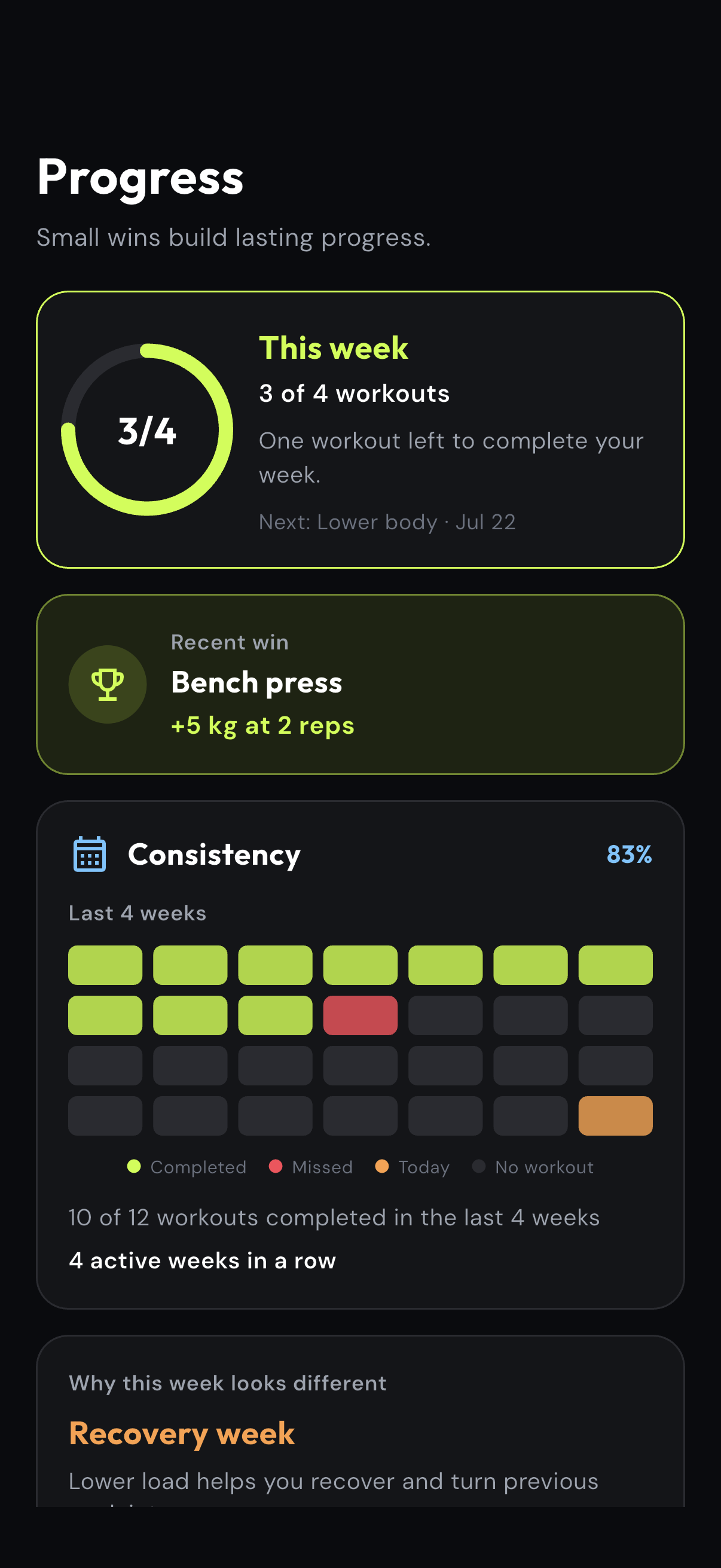
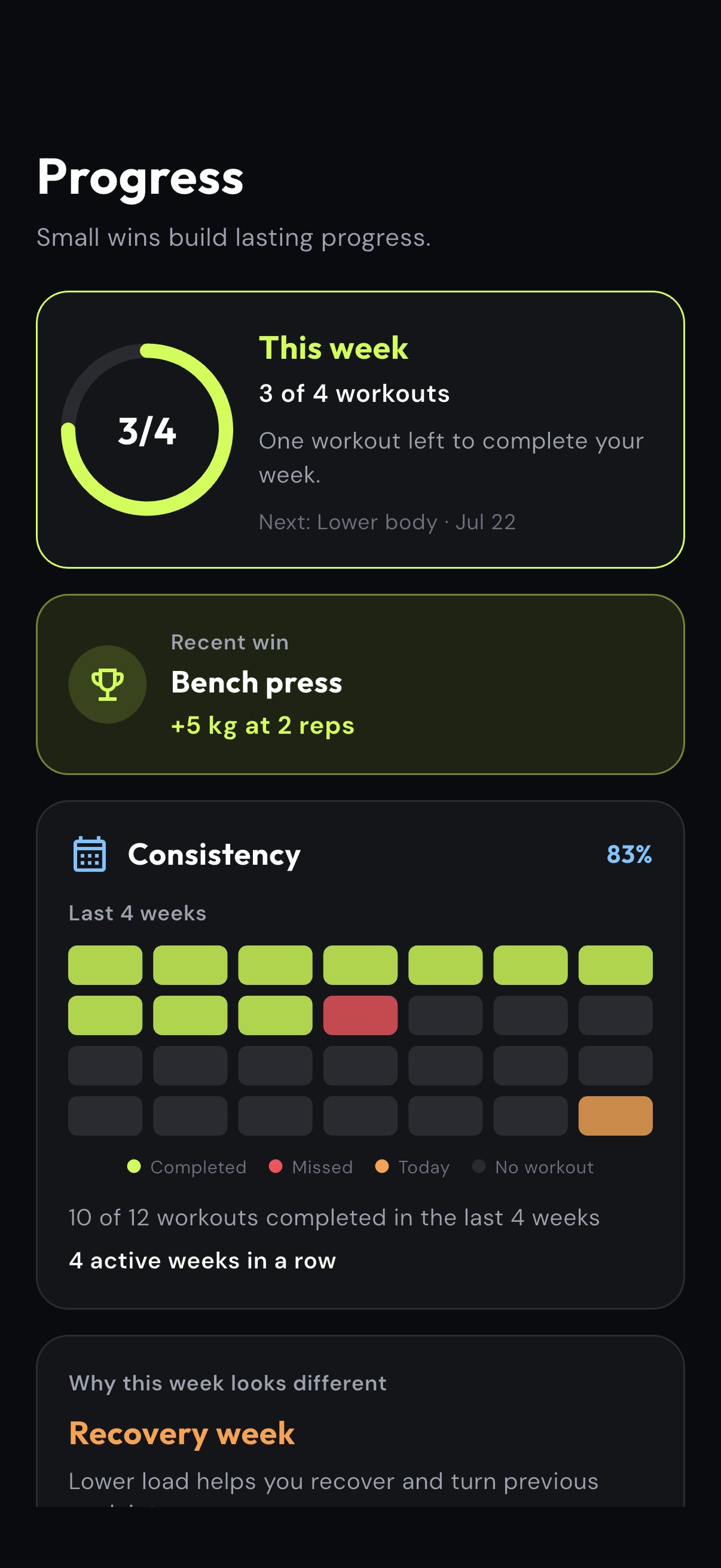
Client app showing a weekly workout goal and training consistency
Coach app + Client app

Every next action starts with the same client context.

No re-copying the plan into a calendar, rebuilding the story before a call or searching another chat for the last form video.

Client app showing a weekly workout goal and consistency
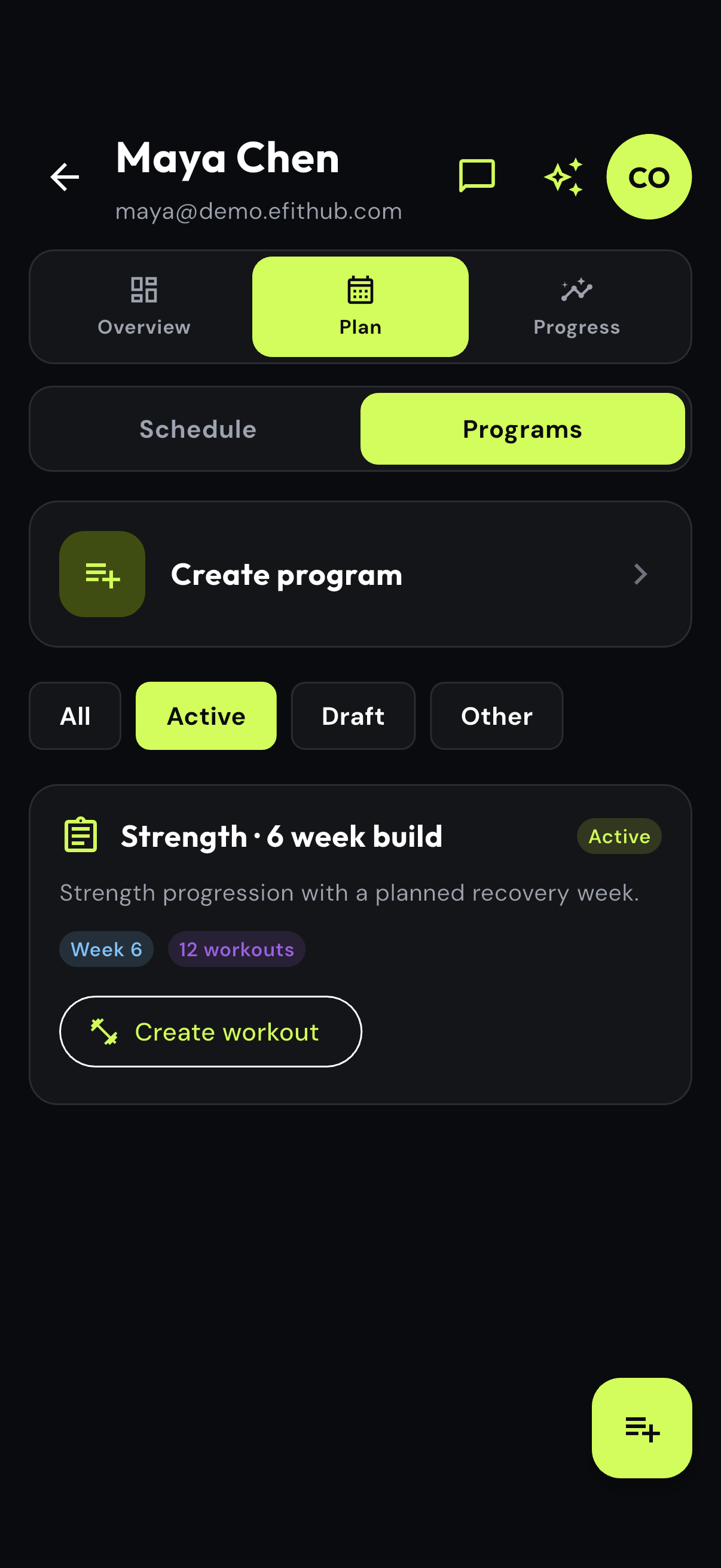
Coach app showing an active six-week strength program for a demo client

Everything the coaching relationship needs.

Programs and schedules stay connected

Build workouts in sections, assign them to dates and update the plan without losing the client's history.

Progress clients can understand

Compare equivalent exercises, reps, load and body measurements to show meaningful improvement instead of a weekly tonnage total.

Messaging, video and check-ins

Message each client, review form videos, schedule live sessions and send short questionnaires from the same workspace.

Client context stays in one place

Keep profiles, private notes, questionnaires, custom metrics and the history behind every decision connected to the client.

Step-by-step product guides

How the key eFitHub workflows work.

Each guide uses real Coach or Client app screens. Follow the steps to see what the feature does, where it saves time and how it keeps the coaching process connected.

01

Workout builder for online personal trainers

eFitHub gives online coaches a structured workout builder for sessions that need an exact prescription. Add sections, exercises, sets, reps, load, rest, timers, notes and demonstration videos once, then deliver the same workout detail to the client app.
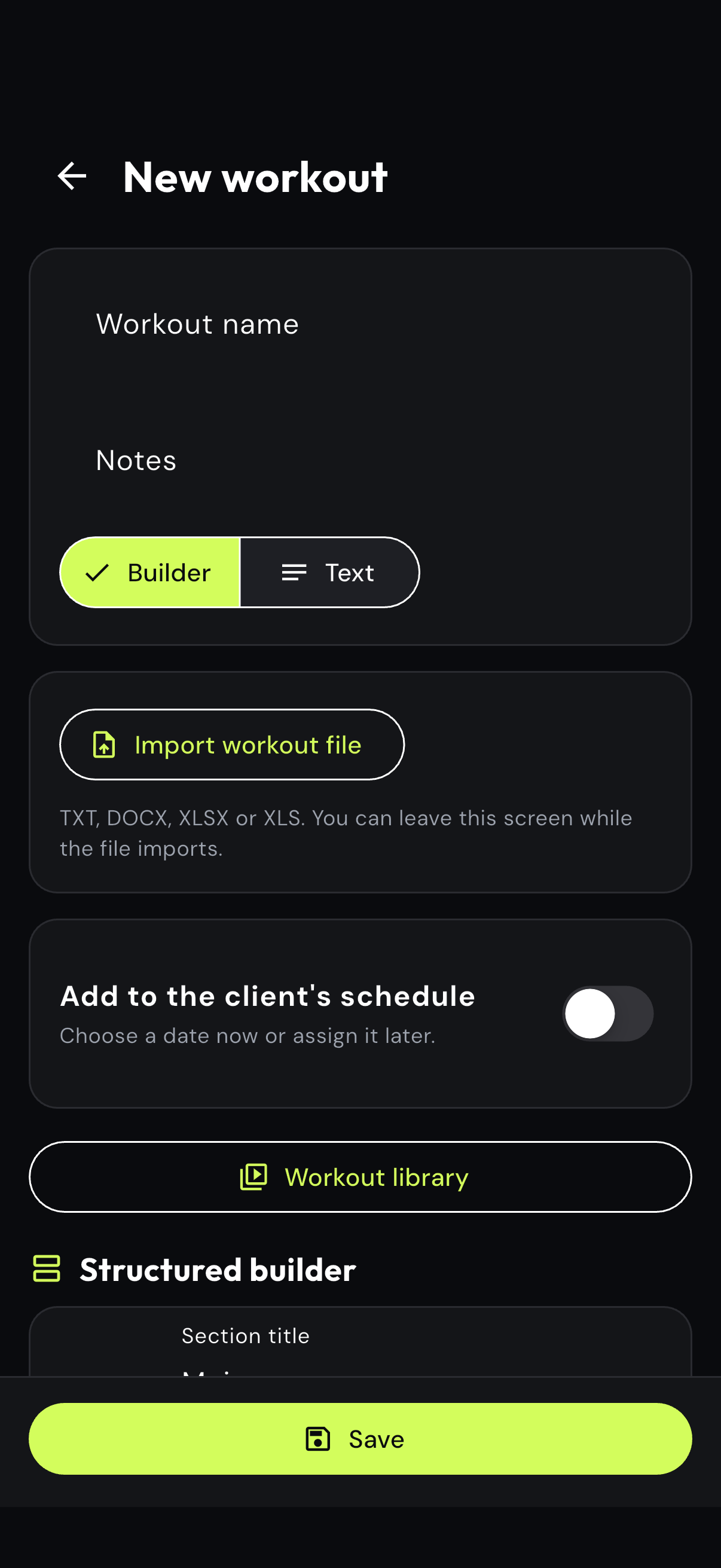
Empty eFitHub structured workout builder in the Coach app
Step 01

Start with the session

Name the workout, add coaching notes and choose the structured builder.
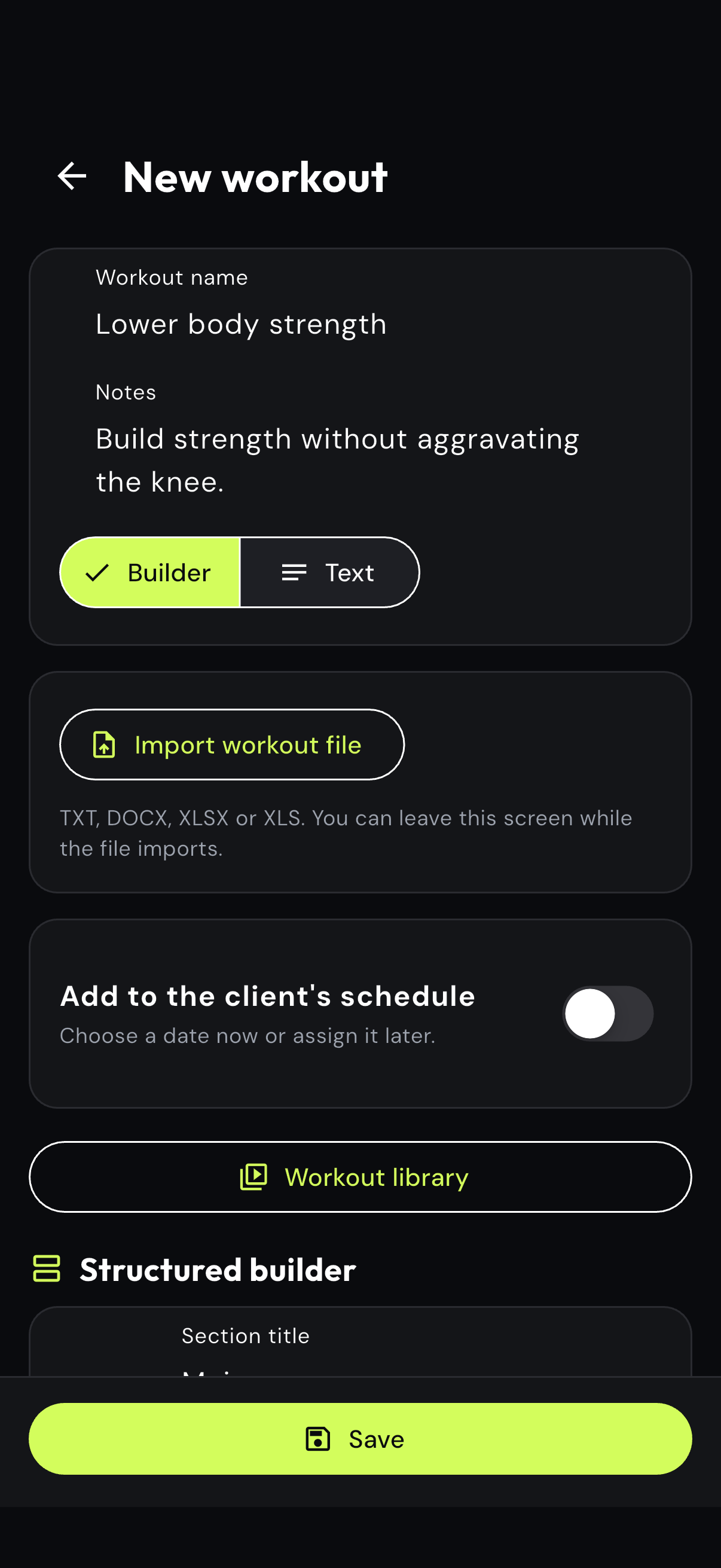
Coach app workout details with a strength session name and coaching notes
Step 02

Add the coaching intent

Describe the purpose of the session so the prescription stays connected to the plan.
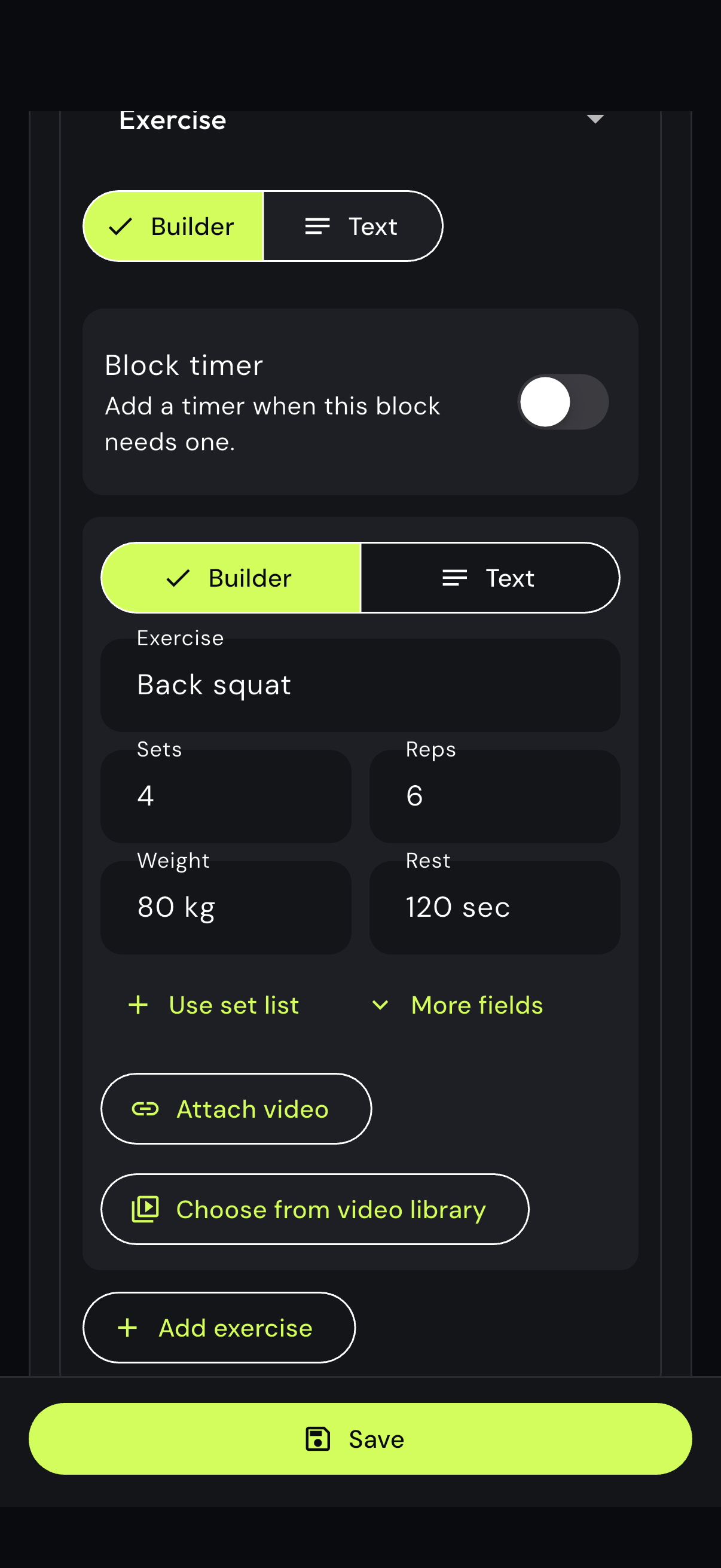
Structured exercise block with sets, reps, weight, rest and video controls
Step 03

Build the exercise prescription

Set the exercise, sets, reps, weight and rest, then attach a demo when the client needs one.
02

Create workouts from text and keep exercise videos attached

Coaches who already write sessions quickly can use the text workout editor instead of rebuilding everything through form fields. Paste the complete plan, preserve the familiar notation and attach a separate exercise video to the movement it explains.

eFitHub Coach app with the text workout editor selected
Step 01

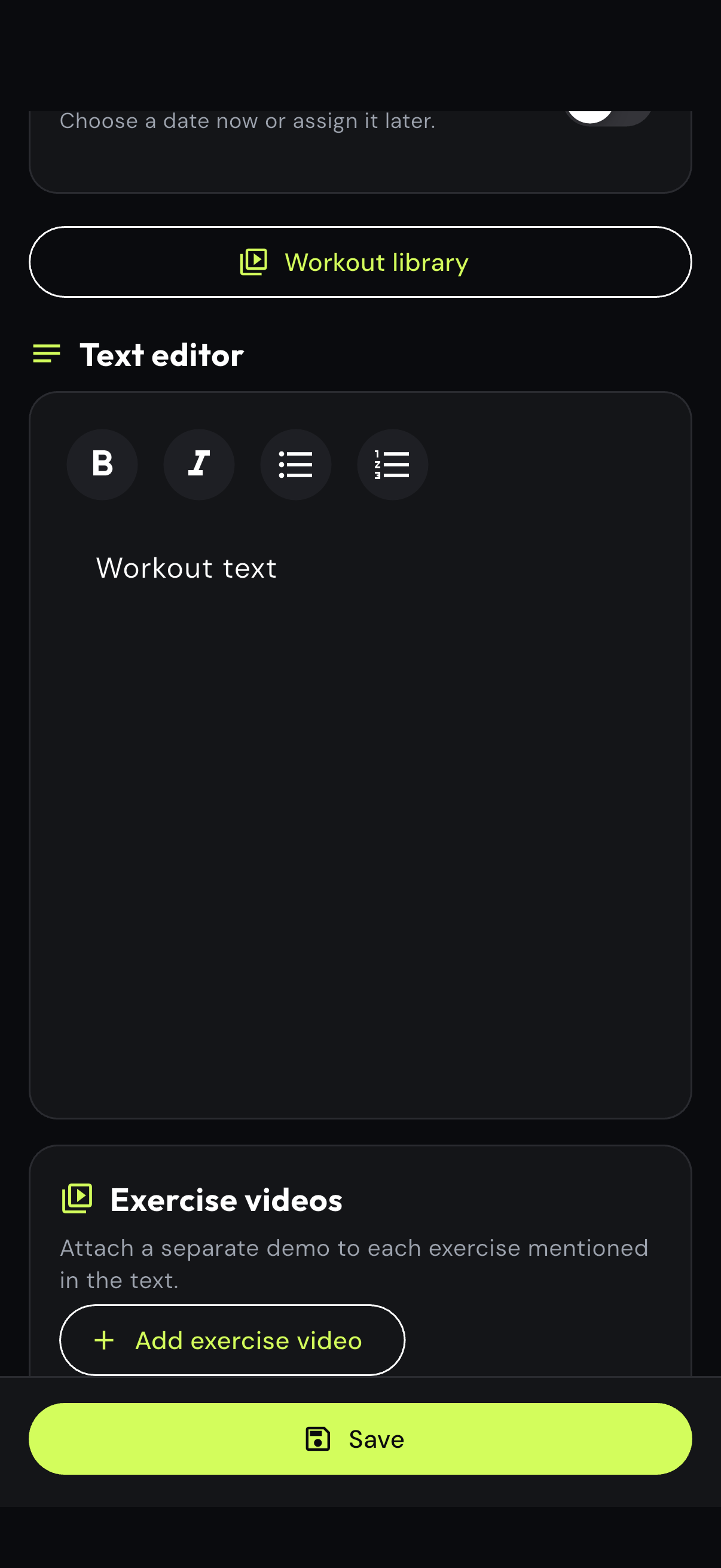
Switch to text authoring

Choose the text editor when a complete session is faster to write than to assemble block by block.

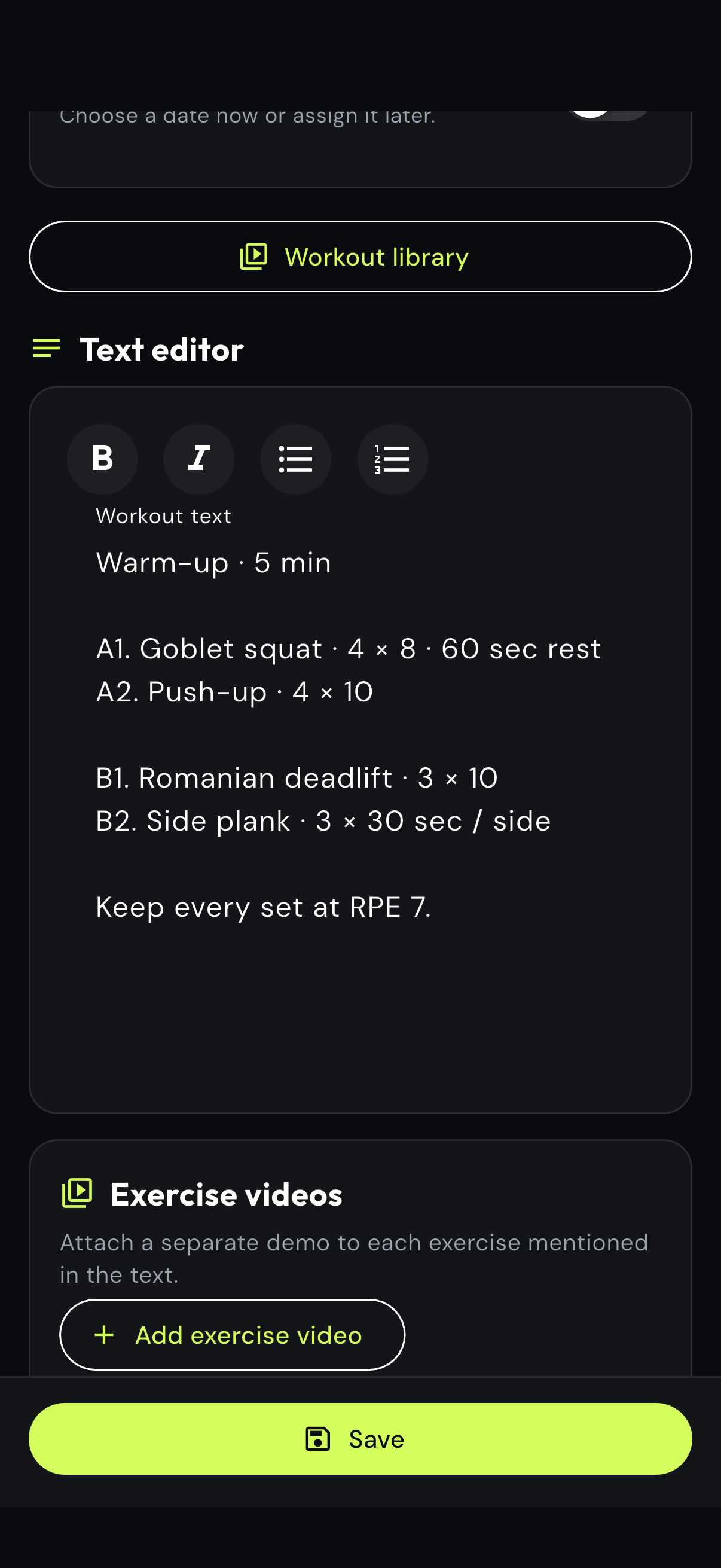
Text workout with exercises, sets, reps, rest and RPE guidance
Step 02

Write or paste the full session

Keep supersets, rest instructions, RPE notes and the coaching language you already use.

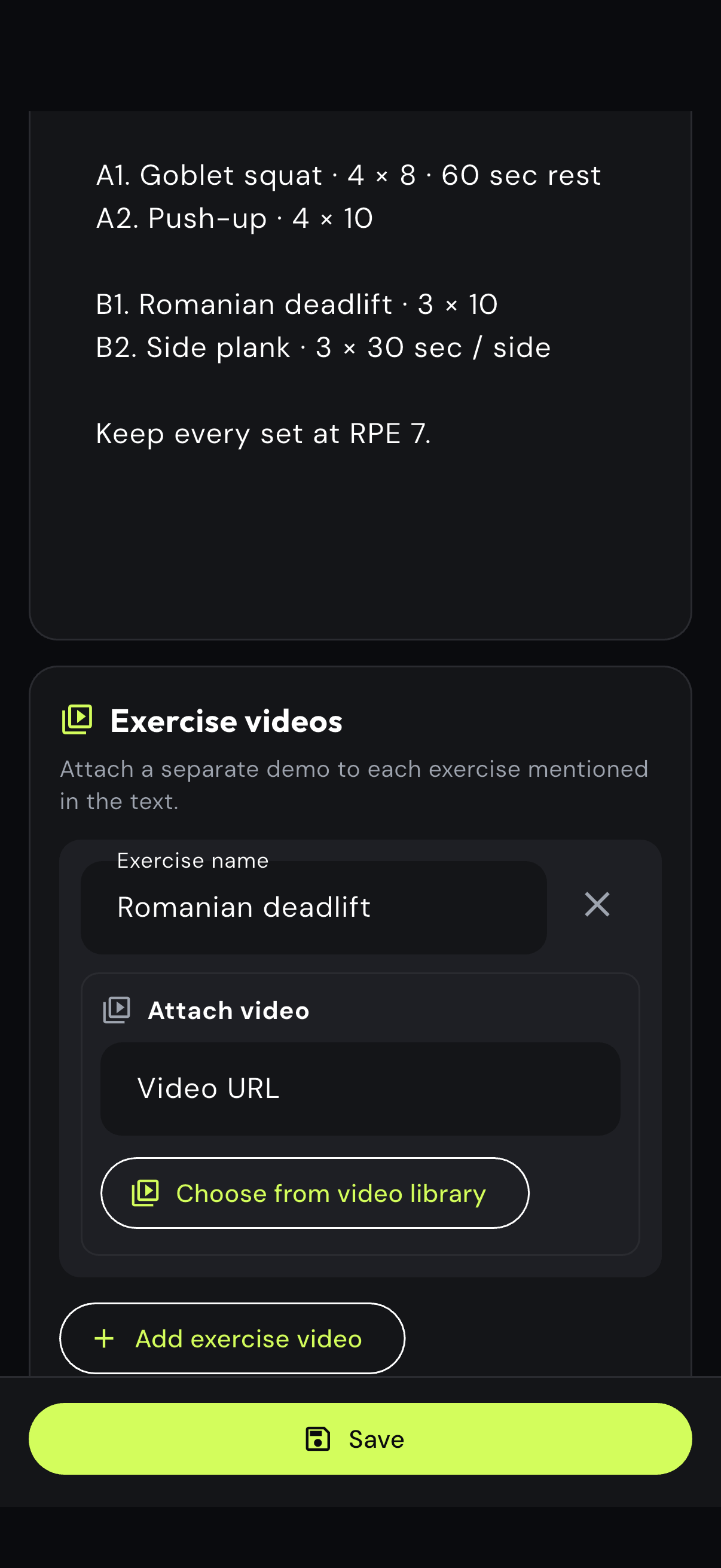
Exercise video attachment below a text-based workout
Step 03

Match video to the exercise

Add a separate demonstration and label the exercise so the client receives the right media.

03

Client progress tracking for online coaches

Track workout adherence, 28-day consistency, comparable exercise performance and coach-defined outcomes in one progress view. Custom metrics such as pain, recovery or confidence help explain whether the program is working beyond a single total.

Coach progress view with workout adherence, consistency and a recent exercise win
Step 01

Scan adherence and recent wins

Start with completed workouts, consistency and the latest meaningful exercise improvement.

Coach progress metrics showing knee comfort and bench press improvement
Step 02

Review the metric that matters

Compare exercise performance and add client-specific metrics such as knee comfort or recovery.

04

AI-assisted questionnaires and client check-ins

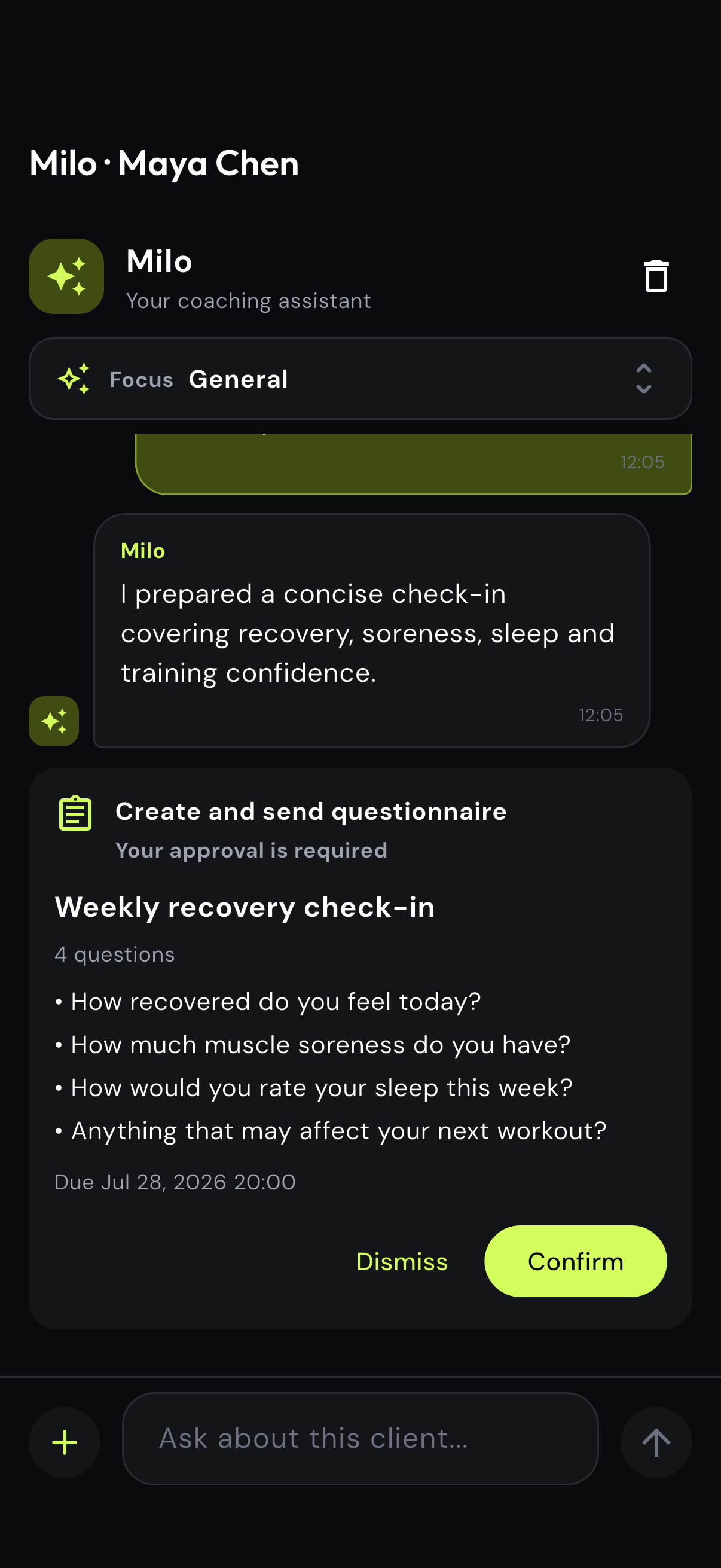
Use Milo to draft routine recovery, adherence or readiness questionnaires without rebuilding the same form for every client. The coach reviews the questions and due date, then approves the check-in before it is sent.

Milo request for a weekly client recovery questionnaire
Step 01

Describe the check-in

Ask for the purpose, audience and timing in one normal-language request.

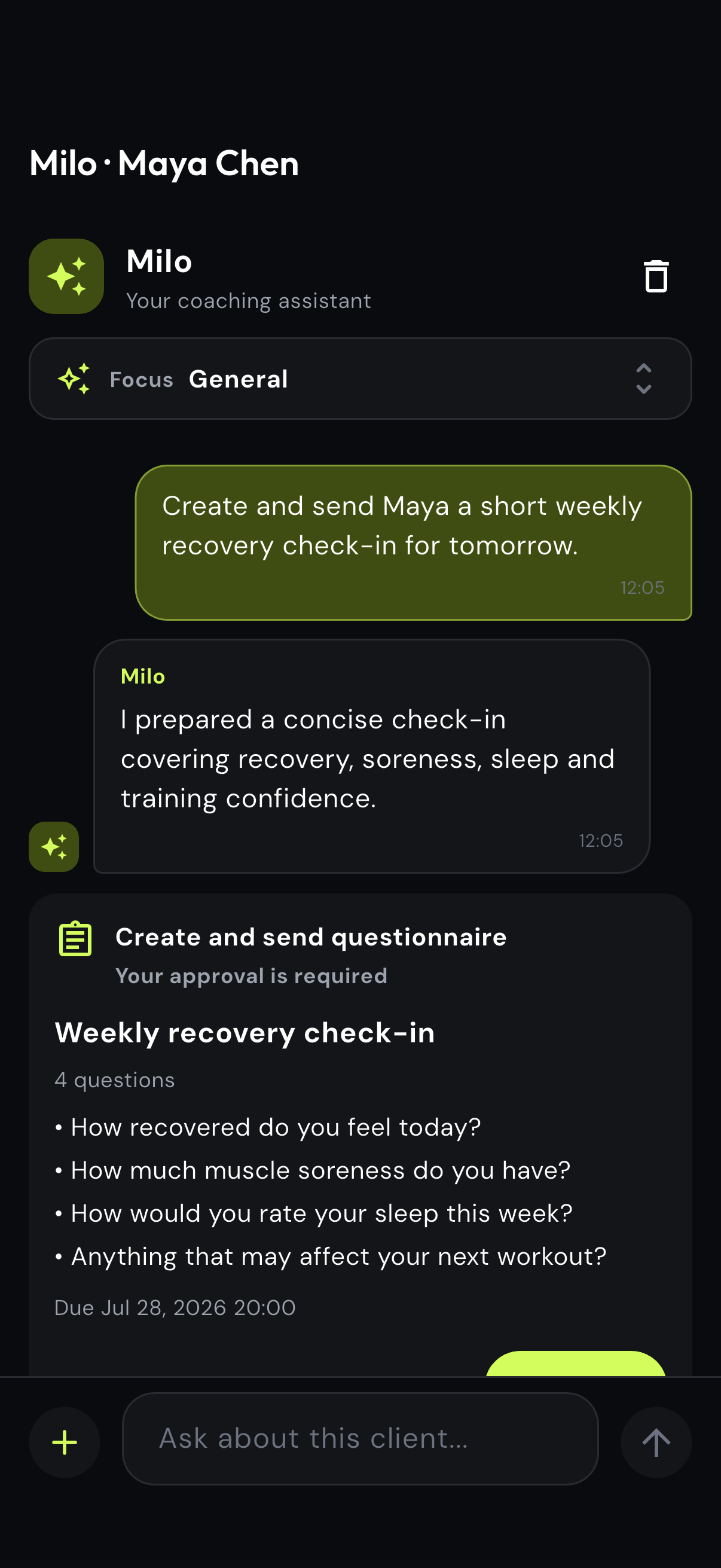
Milo questionnaire approval preview with recovery questions and due date
Step 02

Review every question

Check the wording, question count and due date in the structured approval preview.

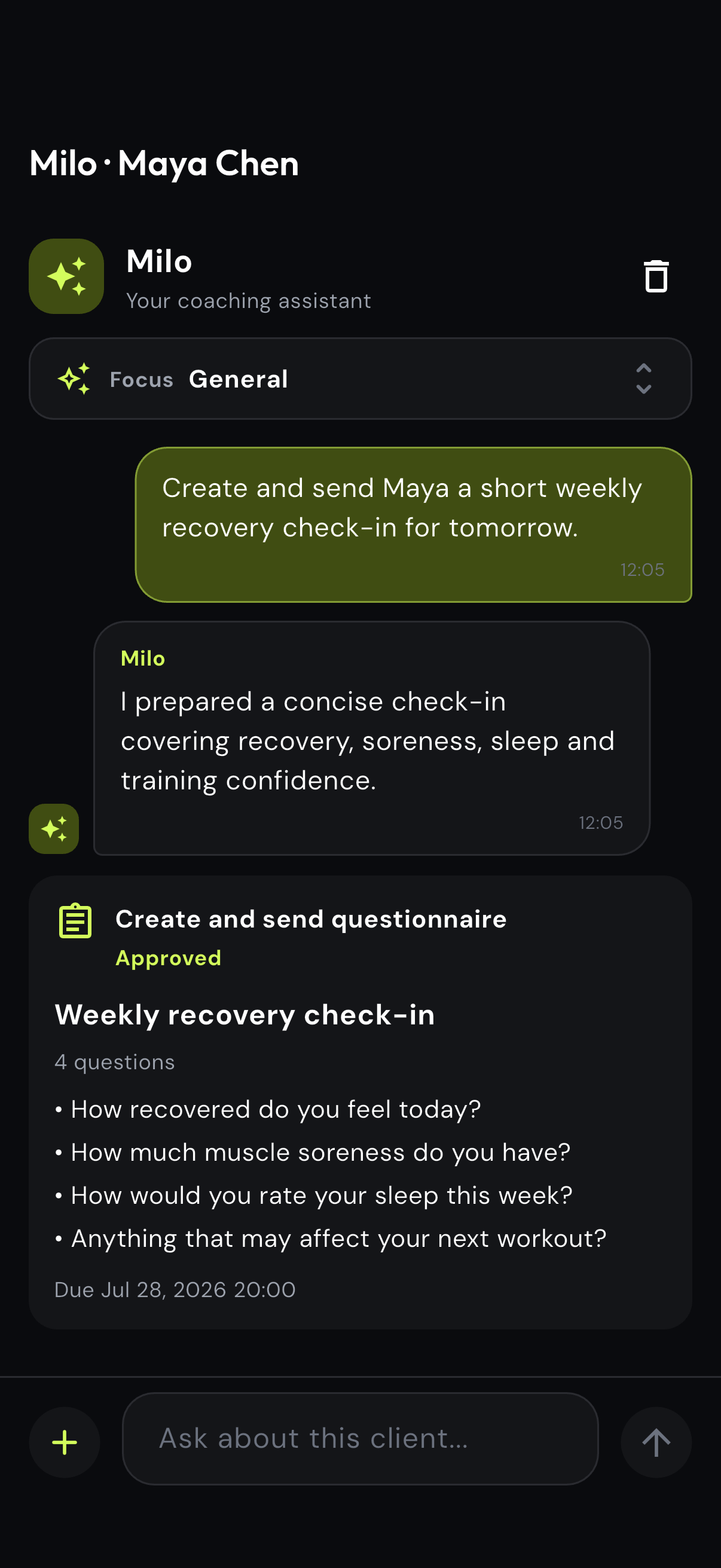
Approved recovery questionnaire in the Milo conversation
Step 03

Confirm the questionnaire

Approve the final check-in only when it matches what the coach needs to learn.

Optional AI assistance

Use Milo when you want help. Keep coaching your way.

eFitHub works fully without Milo. When you choose to use it, Milo can prepare routine work from your client context and wait for your review.

01

Drafts routine work

Prepare a questionnaire, client message, review or workout draft when that would save time.

02

Uses relevant client context

Milo can use the source data already organized in eFitHub and keeps a visible run history.

03

Waits for your approval

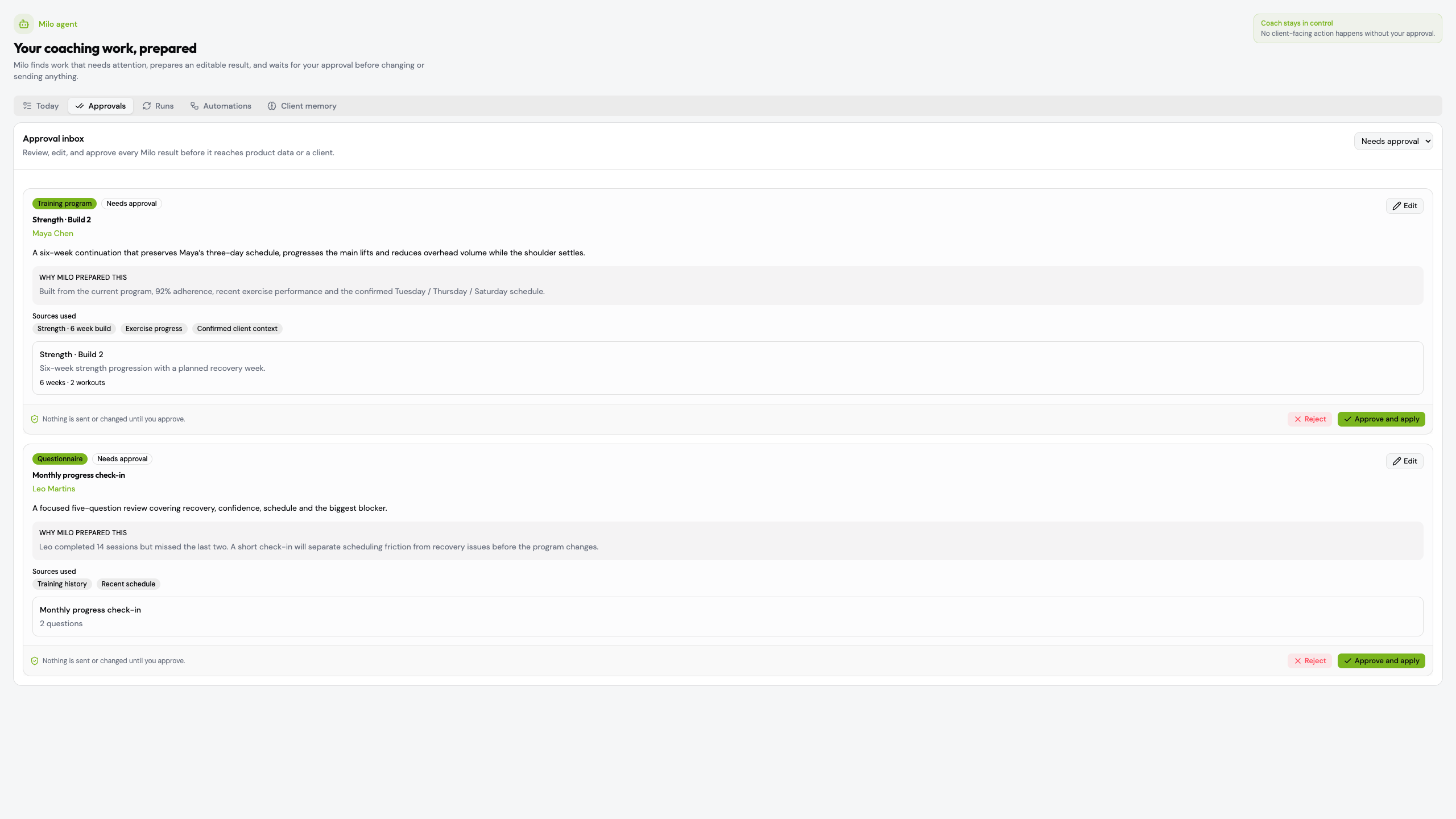
Edit the result, inspect the evidence and confirm before anything changes or reaches a client.

Approvals
Use Milo when you want help. Keep coaching your way.
See optional Milo tools
Why one connected system

The advantage is not another feature list. It is less reconstruction.

eFitHub replaces the patchwork around online coaching: the plan, delivery, evidence and follow-up remain attached to the same client.

0% of client payments taken by eFitHub
2 apps one for the coach, one for the client
1 record for the plan, results and conversation
6 interface languages at launch

Programming

Build once with a structured or text workflow and deliver it to the client app.

Progress

Use captured completion, comparable exercises, measurements and custom metrics.

Follow-up

Keep messages, questionnaires, files and video sessions on the client record.

Optional AI assistance

When useful, ask Milo to prepare the work in the background and bring an editable result back for approval.

Software cost

Use one platform with every feature included and 0% of client payments.

One connected experience for both sides of coaching.

Switch once. Build your system. Keep growing.

Flat pricing, every feature included and 0% of your client payments.

Create a coach account