01
Plan
Build programs and detailed workouts around your own coaching method.
Build programs your way, deliver every session, track meaningful progress and follow up without rebuilding the client story across separate tools. Milo then reduces the routine around that workflow—without taking control away from the coach.
Flat €39–€199/month for up to 500 clients. Every feature included. 0% of client payments.
No re-copying the plan into a calendar, rebuilding the story before a call or searching another chat for the last form video.
Build programs and detailed workouts around your own coaching method.
Assign the workout to a date and send the complete session to the client app.
Capture completion, duration, load, reps, RPE, notes and measurements.
Message, review media, send a check-in or prepare the next adjustment.
Programs remain easy to scan and easy to change. Each workout can carry the exact structure and detail the client needs.
Training-cycle context, completed sessions and comparable exercise results make reviews useful even when the plan changes.
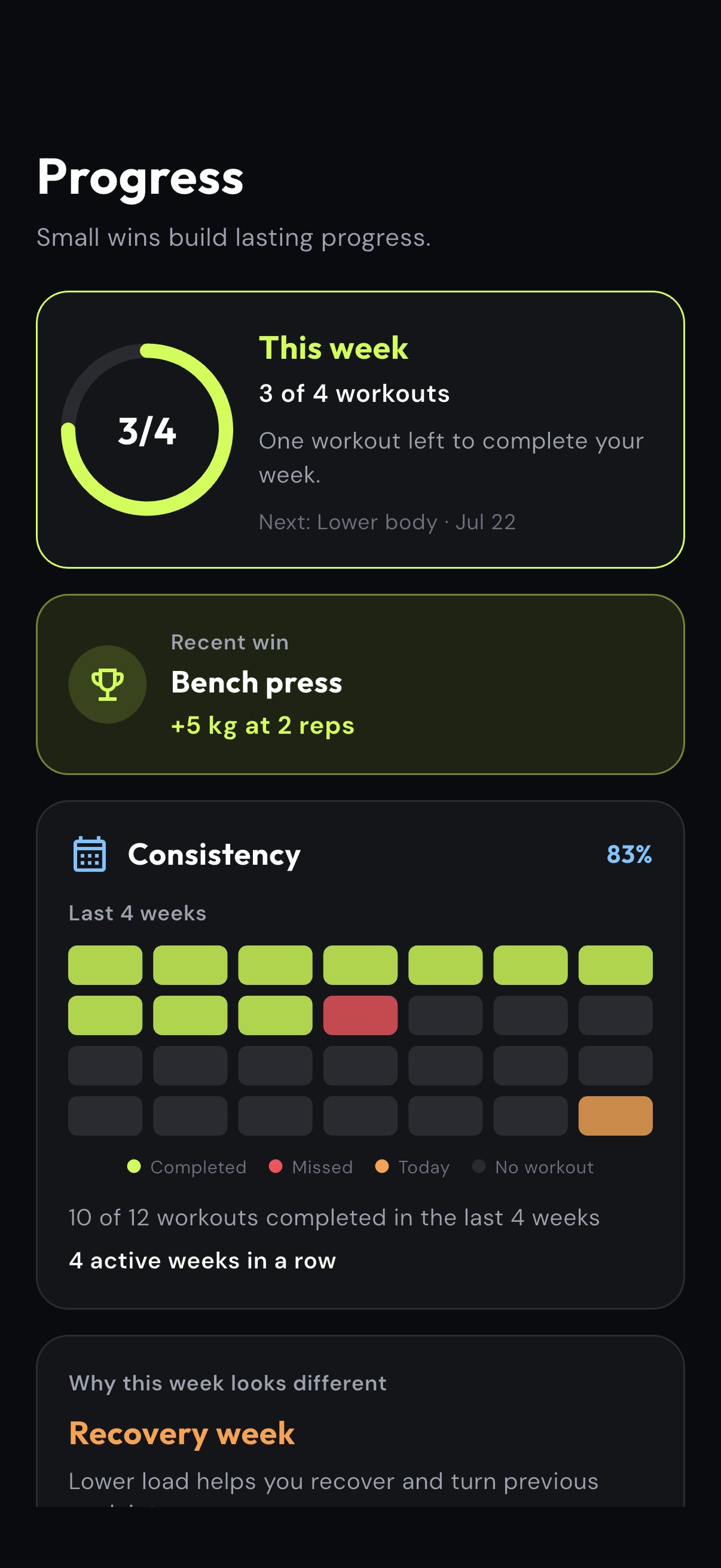
The client sees the weekly goal, meaningful exercise wins and session history without needing the coach to build a separate report.
Every recording comes from the real apps with deterministic demo data. The product comes first: programming, delivery, progress and communication. Milo adds speed where repeated admin gets in the way.
Each guide uses real Coach or Client app screens. Follow the steps to see what the feature does, where it saves time and how it keeps the coaching process connected.
Detailed workouts are slow to rebuild when sets, reps, load, rest, blocks and exercise media live in different places.
Create the complete prescription in one structured flow, keep it reusable and deliver the same detail to the client app.
eFitHub gives online coaches a structured workout builder for sessions that need an exact prescription. Add sections, exercises, sets, reps, load, rest, timers, notes and demonstration videos once, then deliver the same workout detail to the client app.
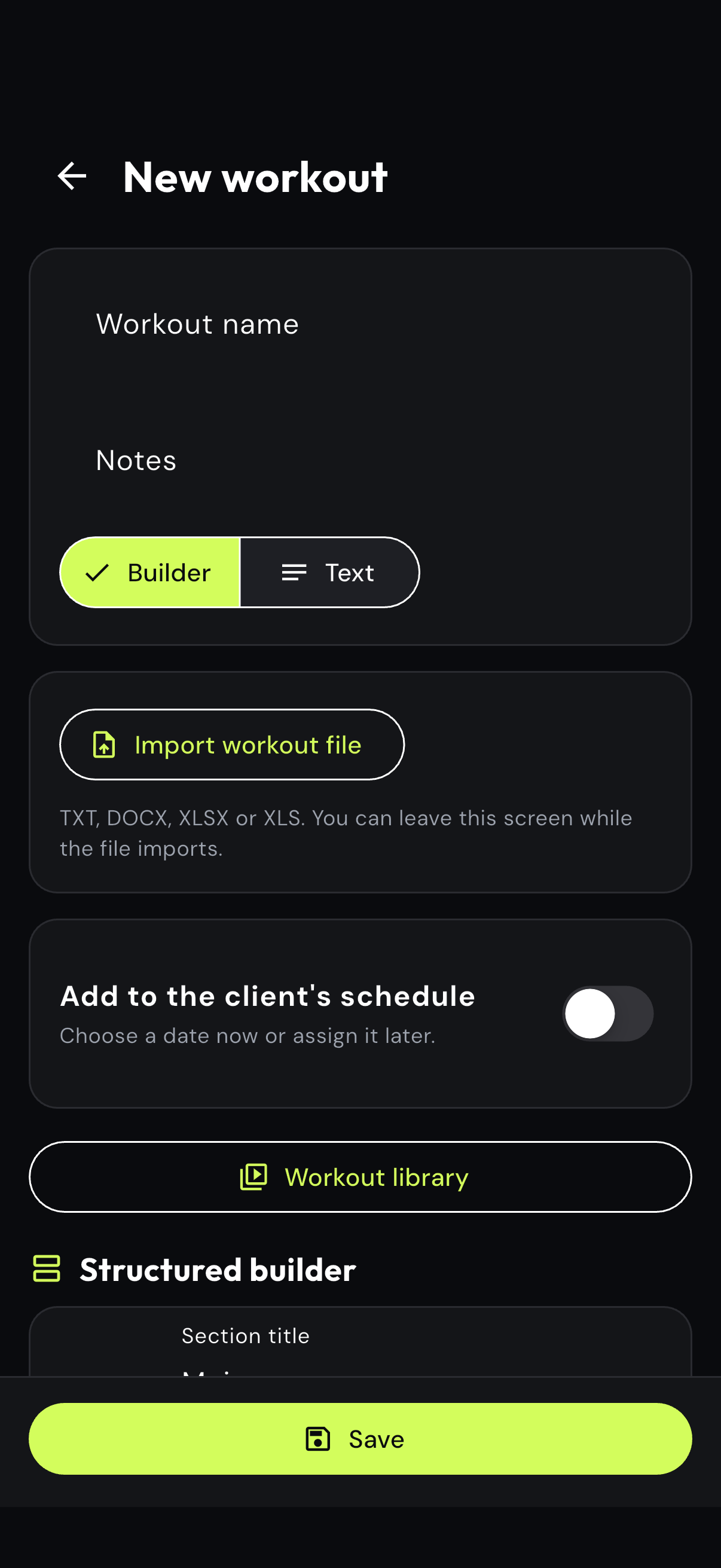
Name the workout, add coaching notes and choose the structured builder.
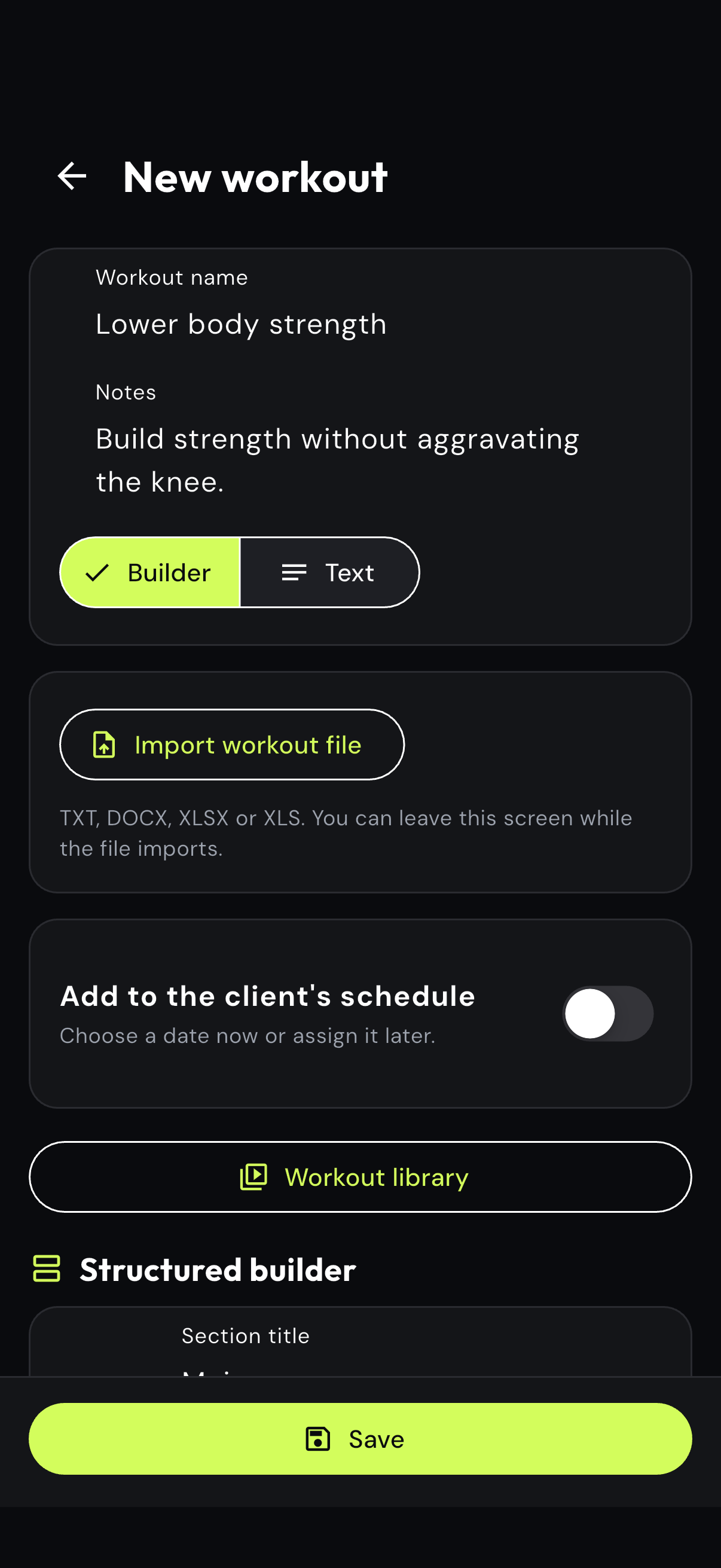
Describe the purpose of the session so the prescription stays connected to the plan.
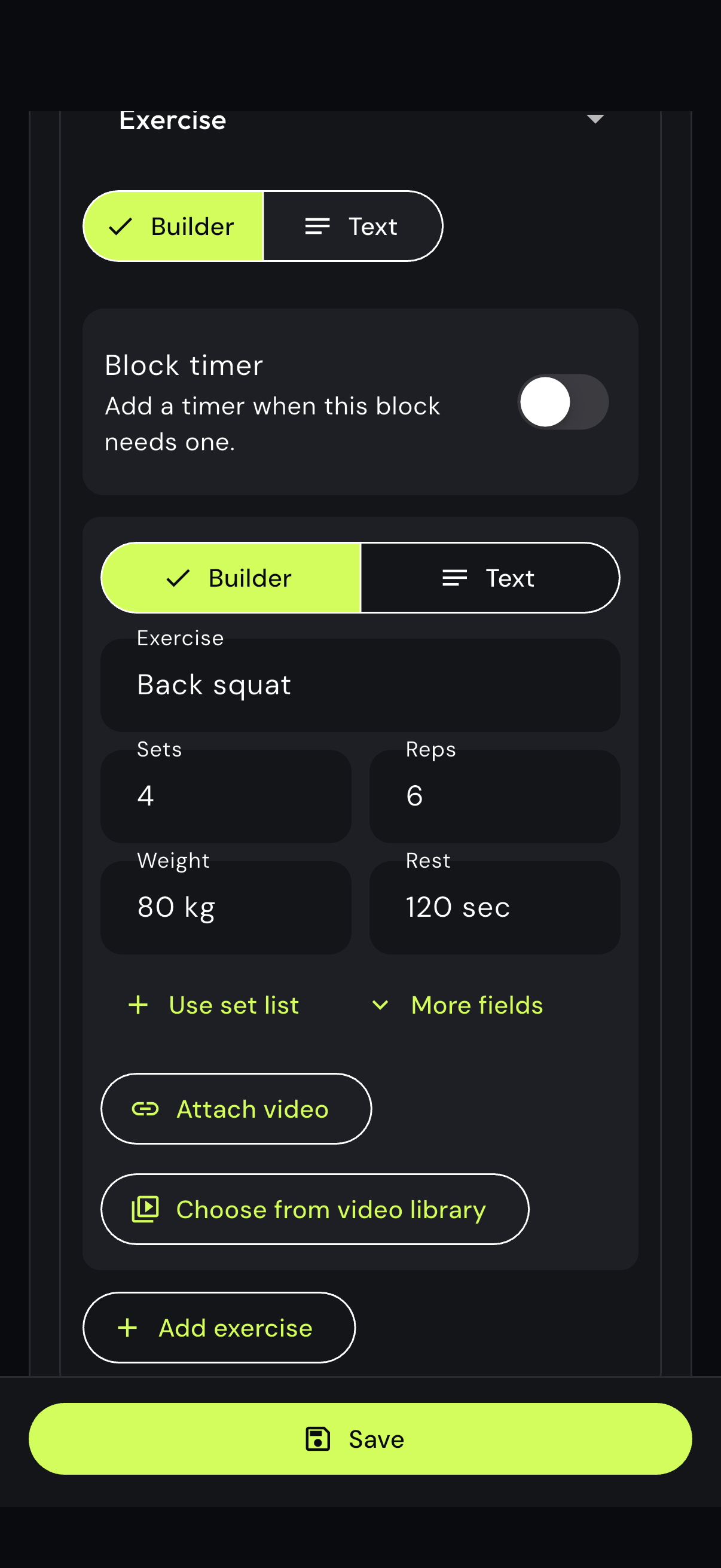
Set the exercise, sets, reps, weight and rest, then attach a demo when the client needs one.
A rigid builder can turn a simple workout into unnecessary clicking and reformatting.
Write or paste the complete session as text, then attach a separate demonstration to each exercise that needs one.
Coaches who already write sessions quickly can use the text workout editor instead of rebuilding everything through form fields. Paste the complete plan, preserve the familiar notation and attach a separate exercise video to the movement it explains.
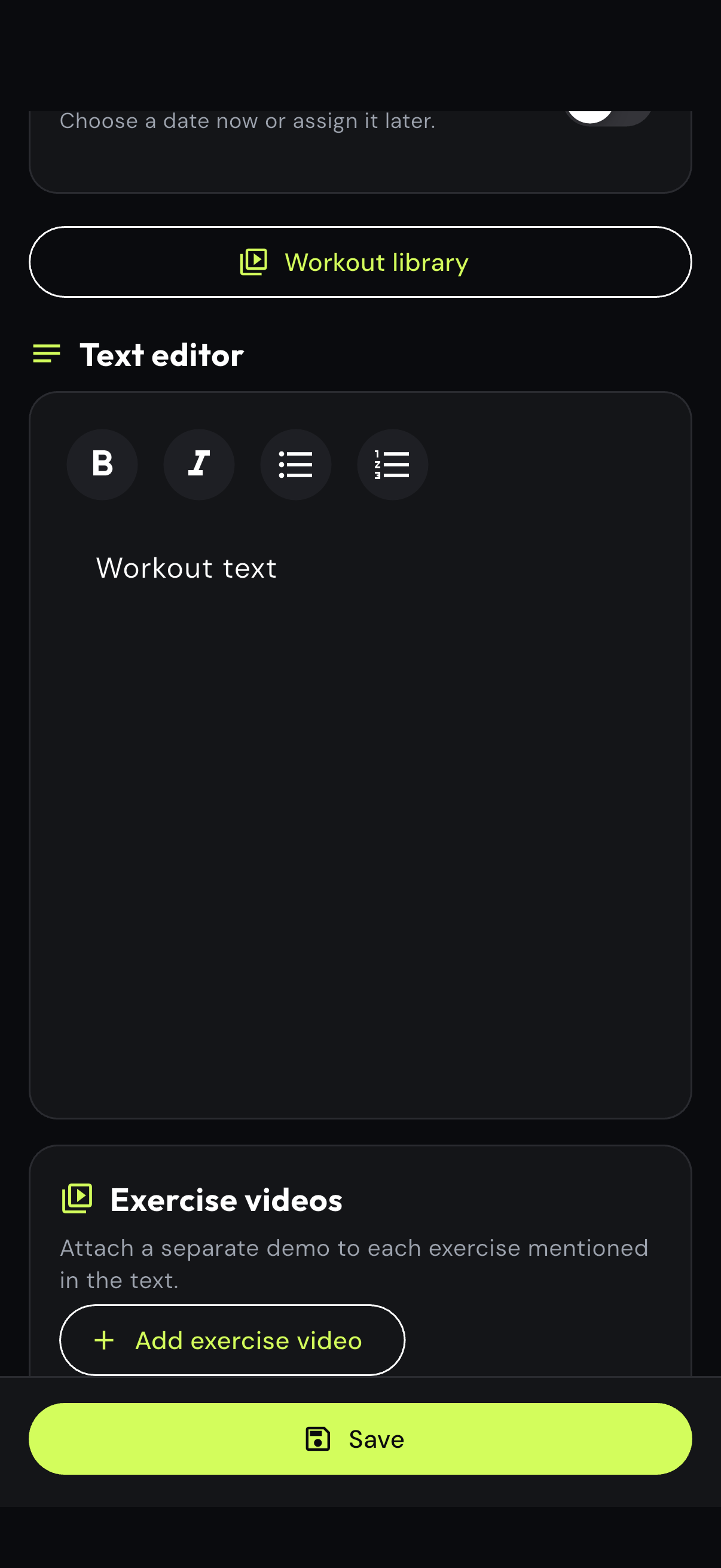
Choose the text editor when a complete session is faster to write than to assemble block by block.
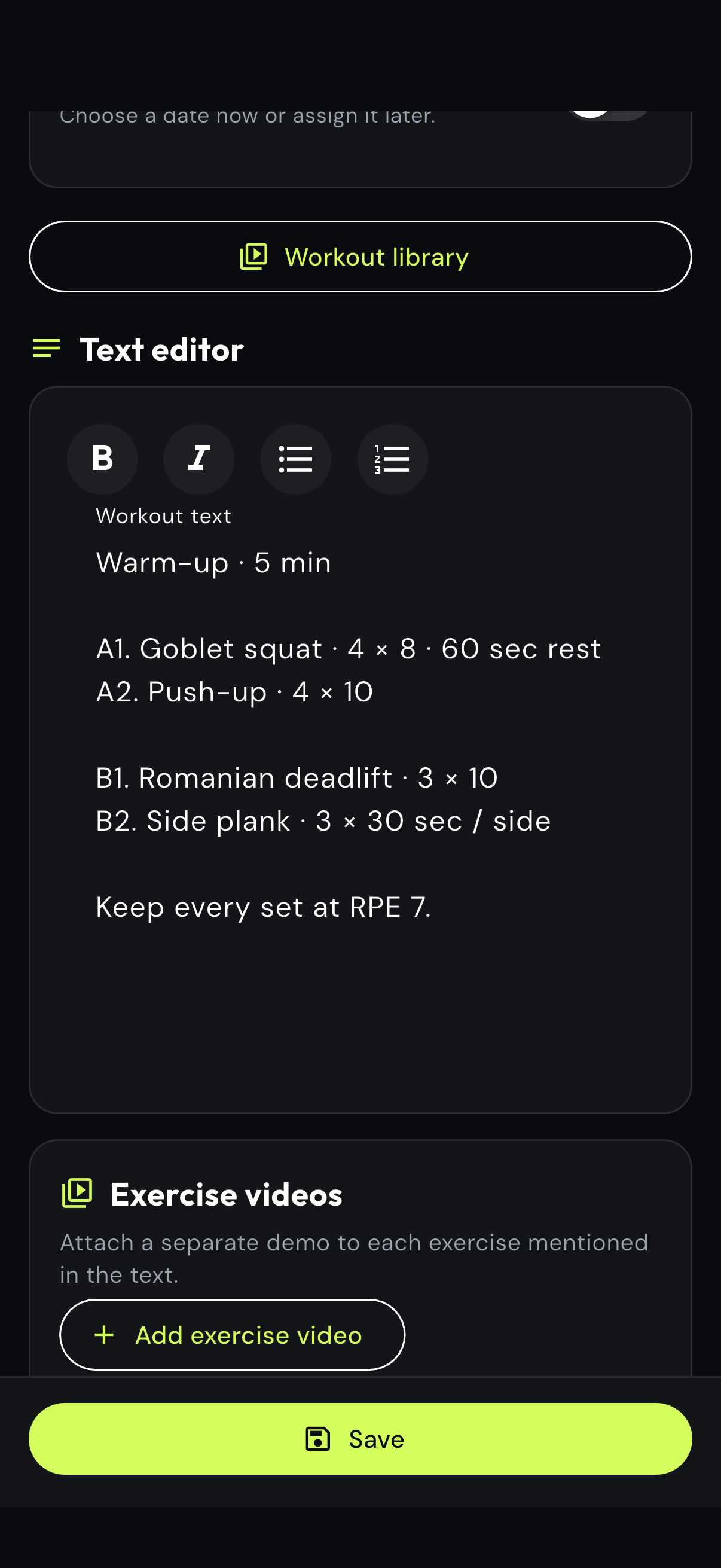
Keep supersets, rest instructions, RPE notes and the coaching language you already use.
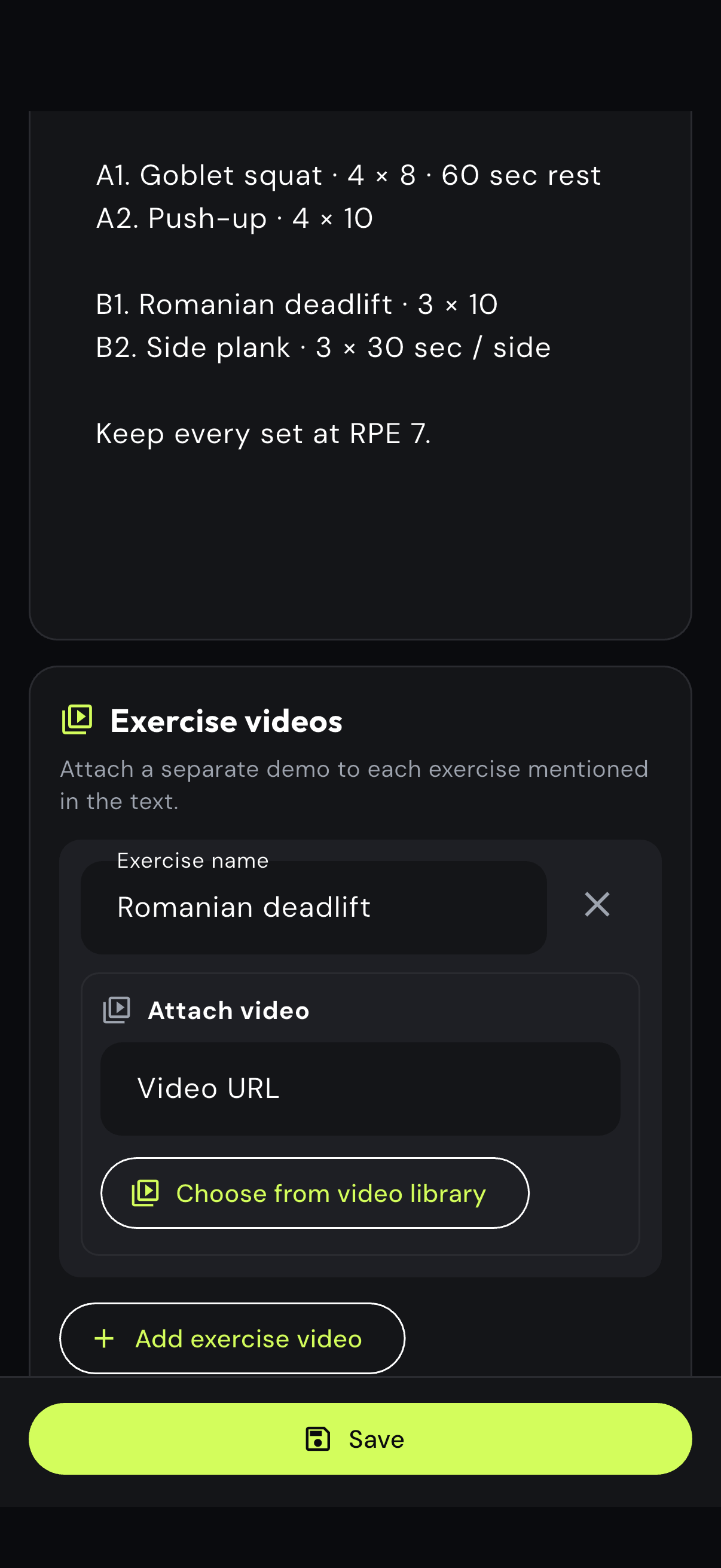
Add a separate demonstration and label the exercise so the client receives the right media.
A workout result is hard to judge when the coach cannot see the phase and progression it belongs to.
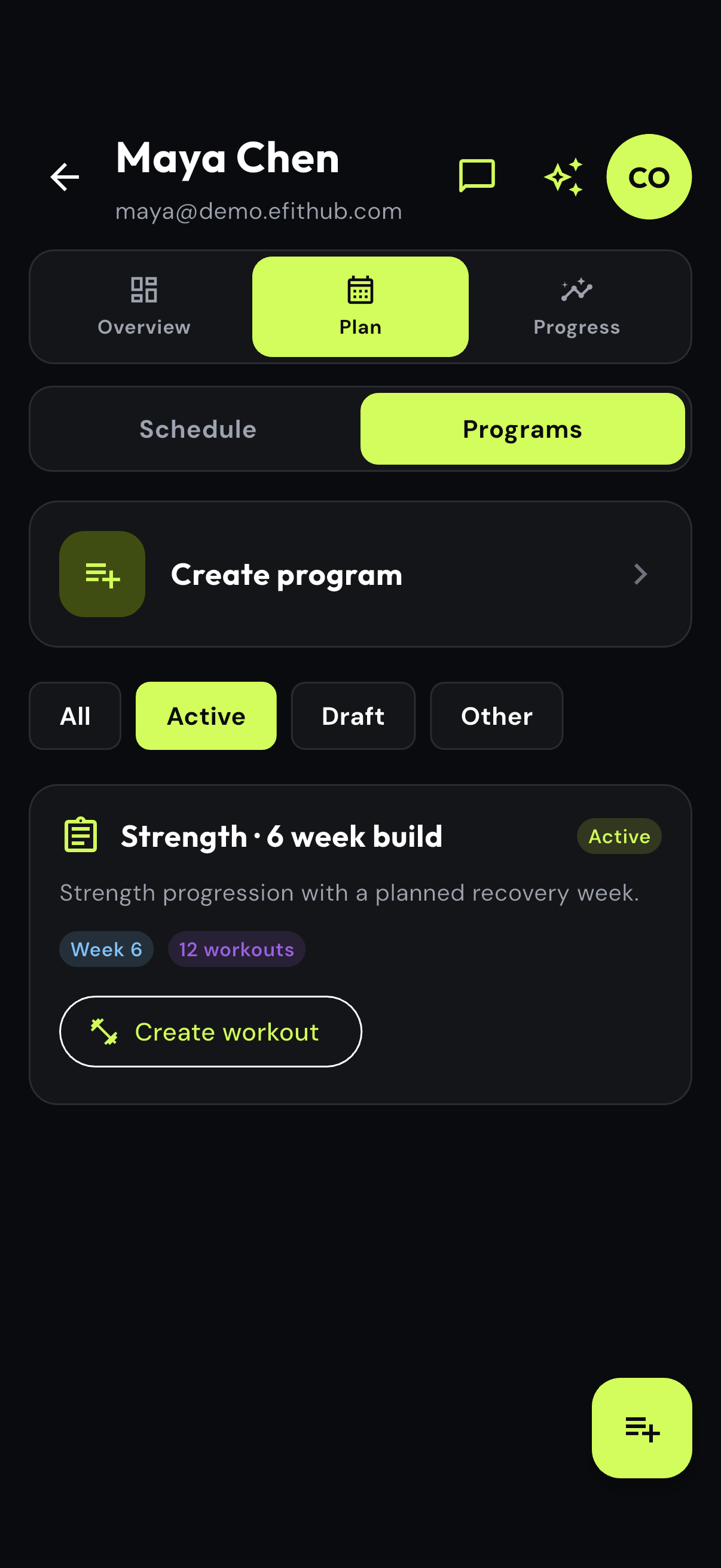
Review the client program, the current cycle and its prescribed progression from the same client record.
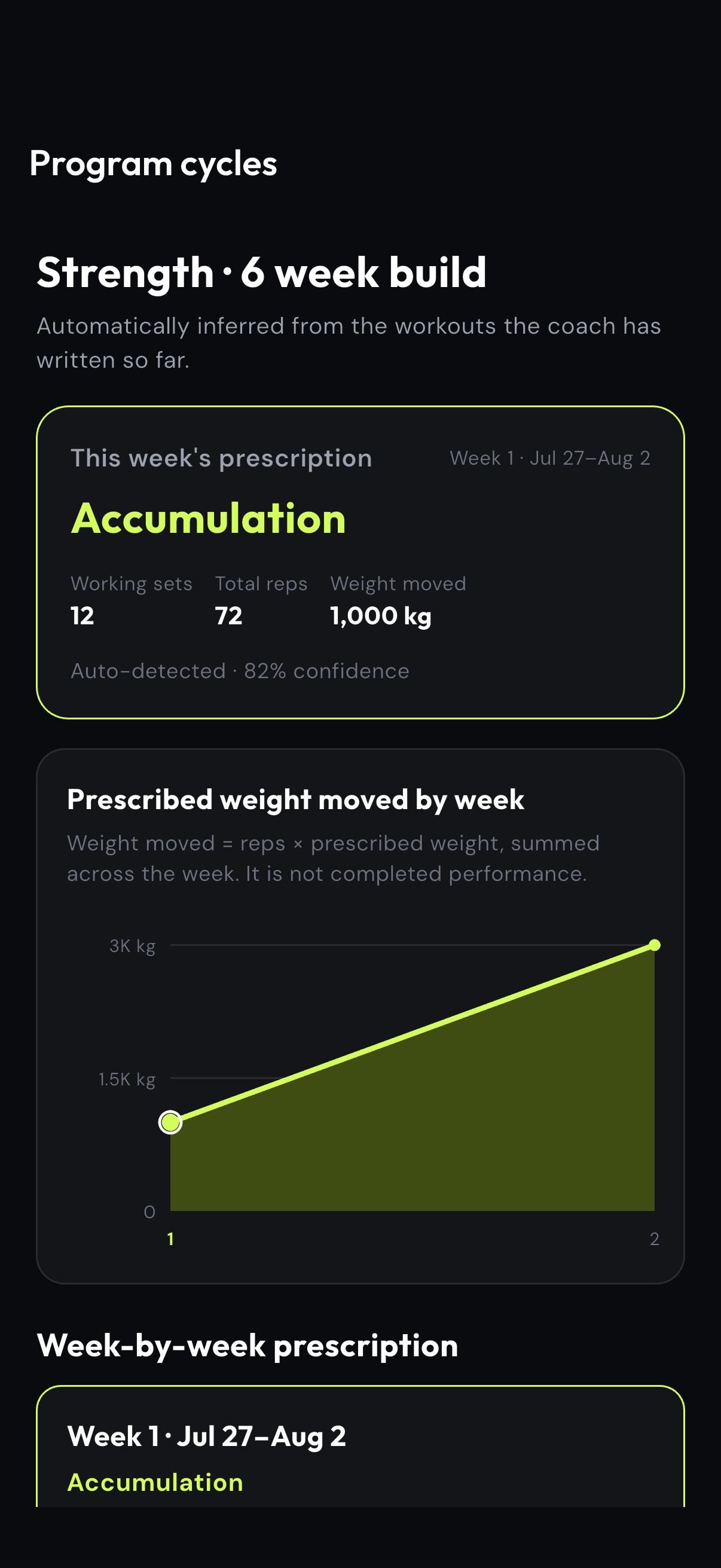
eFitHub connects the active program, scheduled workouts and training-cycle context for every client. Coaches can review the current phase, prescribed progression and warnings without reconstructing the plan from documents or old messages.
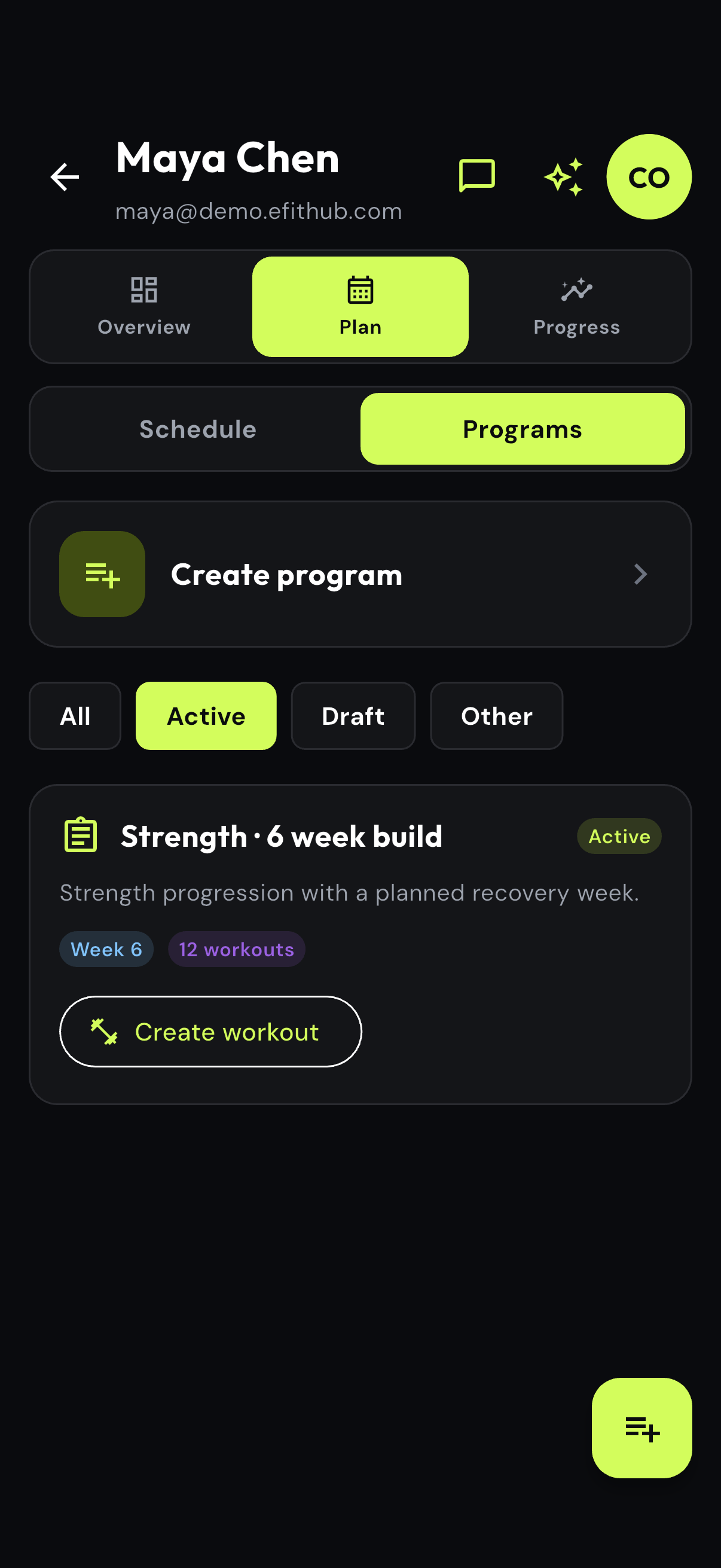
See the current plan, week, workout count and the action to create the next session.
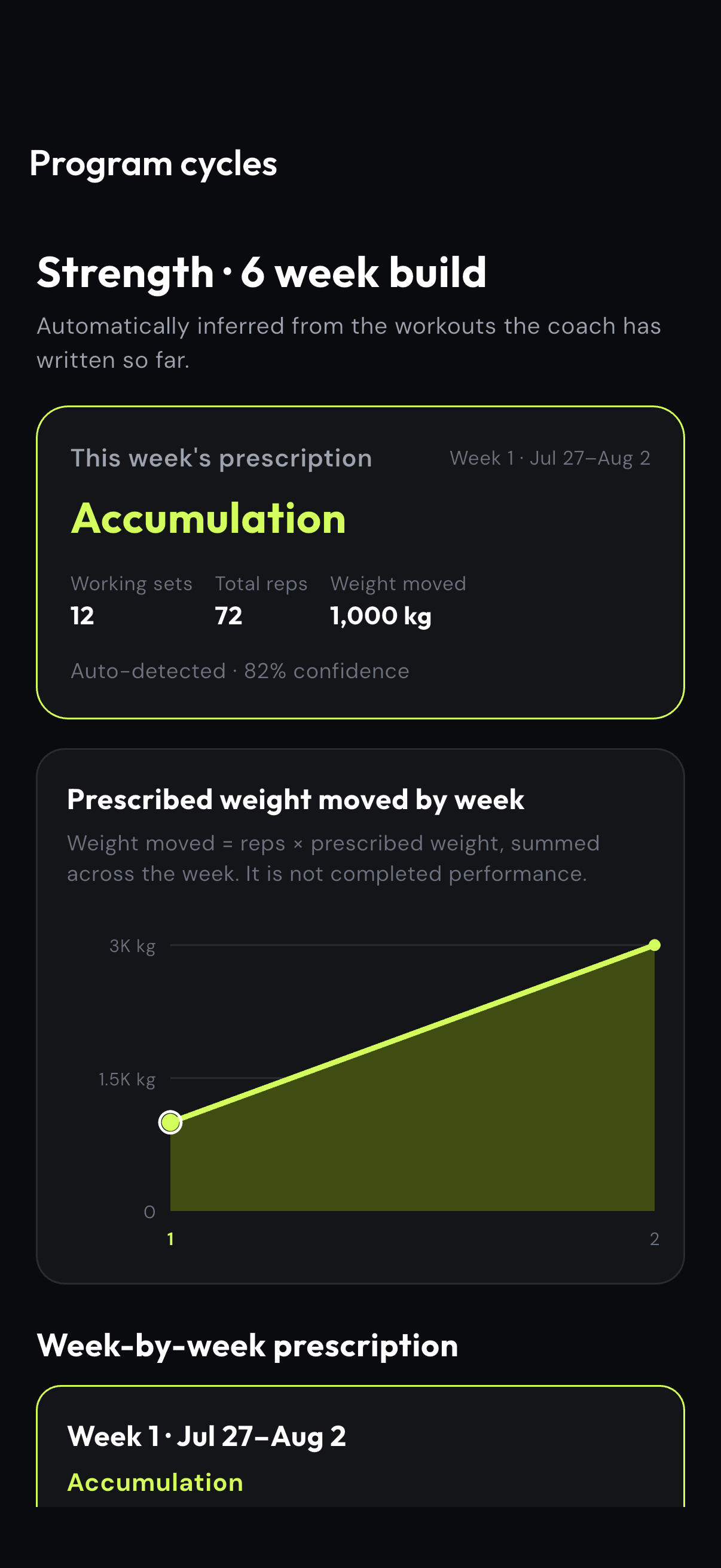
Check the phase, working sets, reps and prescribed weekly volume in context.
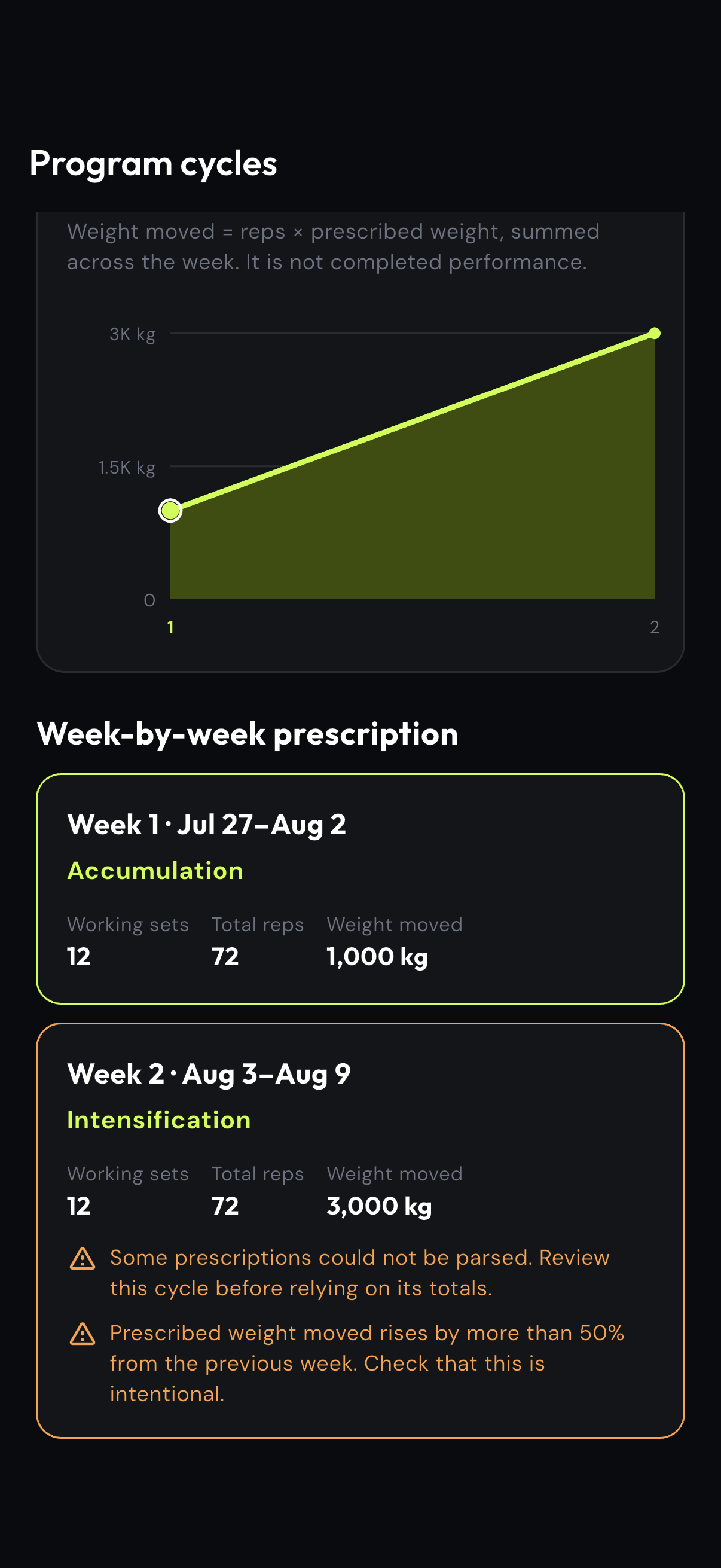
Use visible warnings to review large changes or incomplete prescription data before relying on totals.
Session totals alone do not explain whether the client is stronger, more consistent or responding well to the plan.
Combine completion and comparable exercise progress with coach-defined metrics such as pain, confidence or recovery.
Track workout adherence, 28-day consistency, comparable exercise performance and coach-defined outcomes in one progress view. Custom metrics such as pain, recovery or confidence help explain whether the program is working beyond a single total.
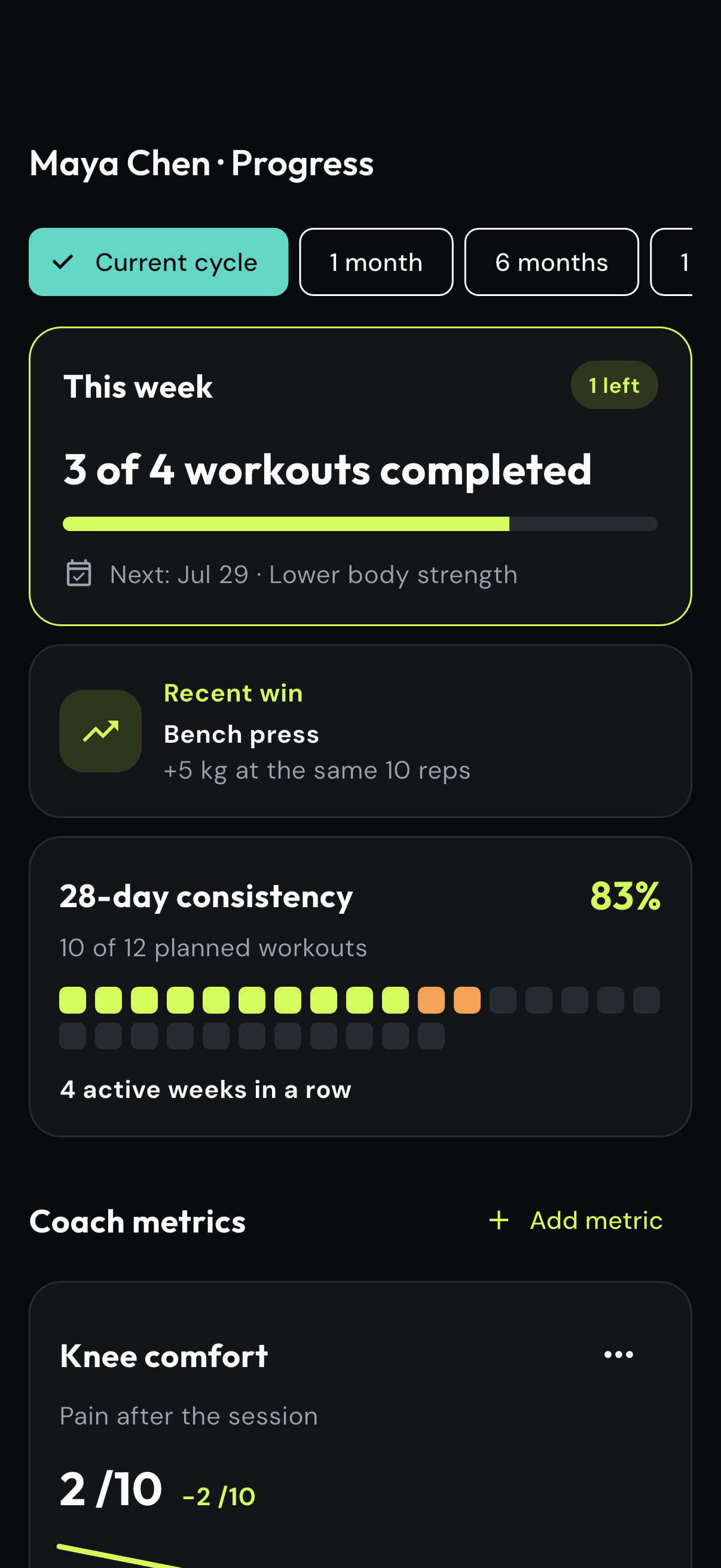
Start with completed workouts, consistency and the latest meaningful exercise improvement.
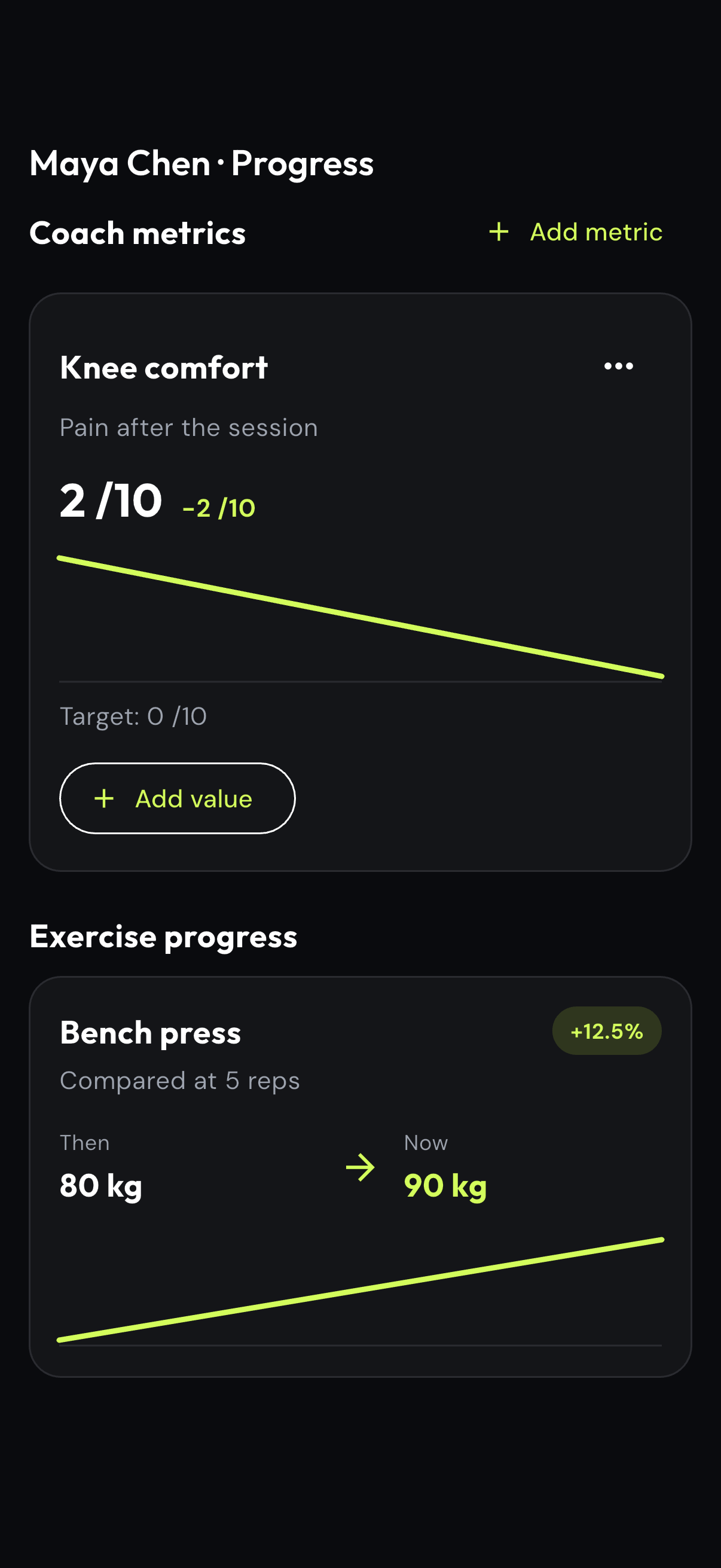
Compare exercise performance and add client-specific metrics such as knee comfort or recovery.
When progress is invisible, motivation depends on the coach manually preparing another report.
The client sees the weekly goal, exercise wins and history directly from the work already logged in the app.
The eFitHub Client app turns completed training data into progress the client can understand. Weekly goals, consistency, comparable exercise wins and session history provide visible feedback without a separate manual report from the coach.
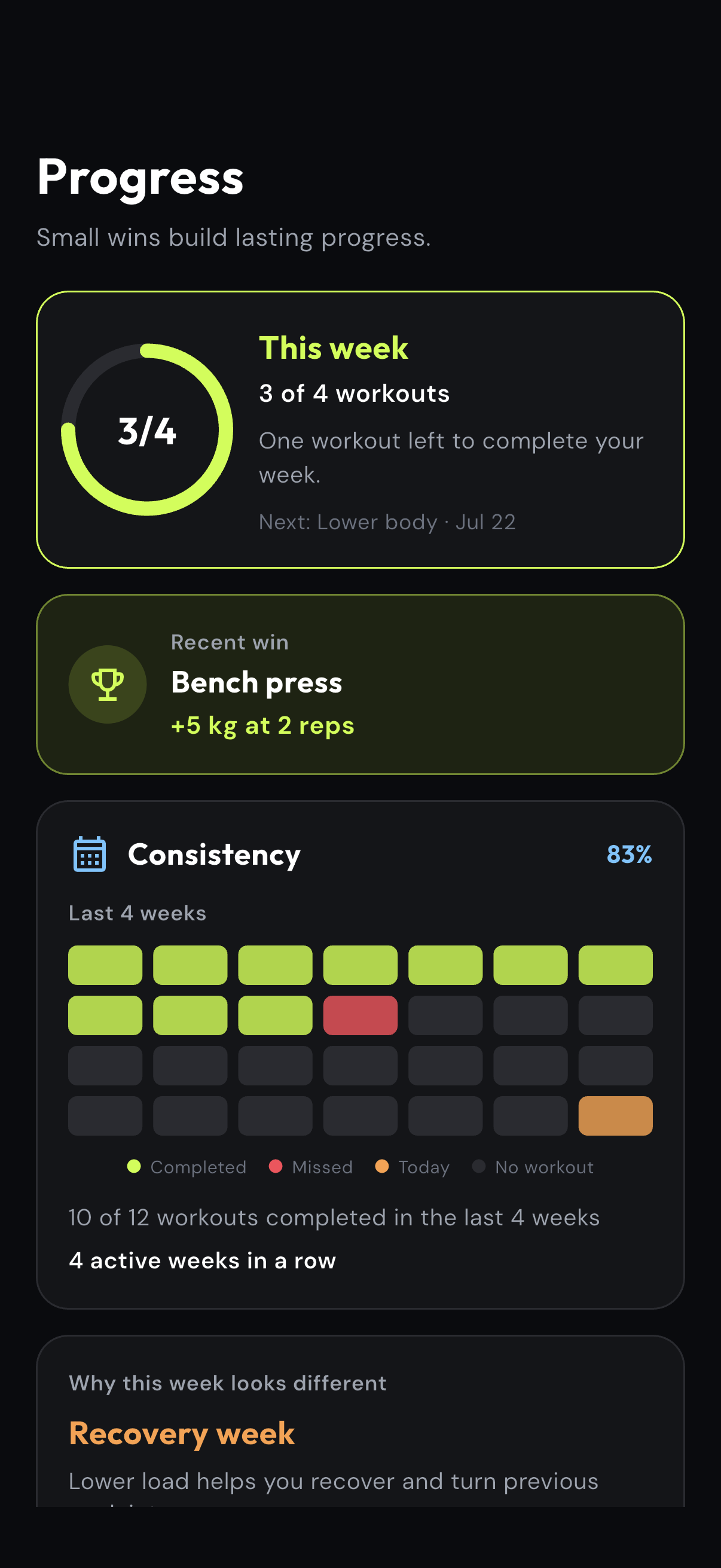
The client starts with completed workouts, the next action and current consistency.
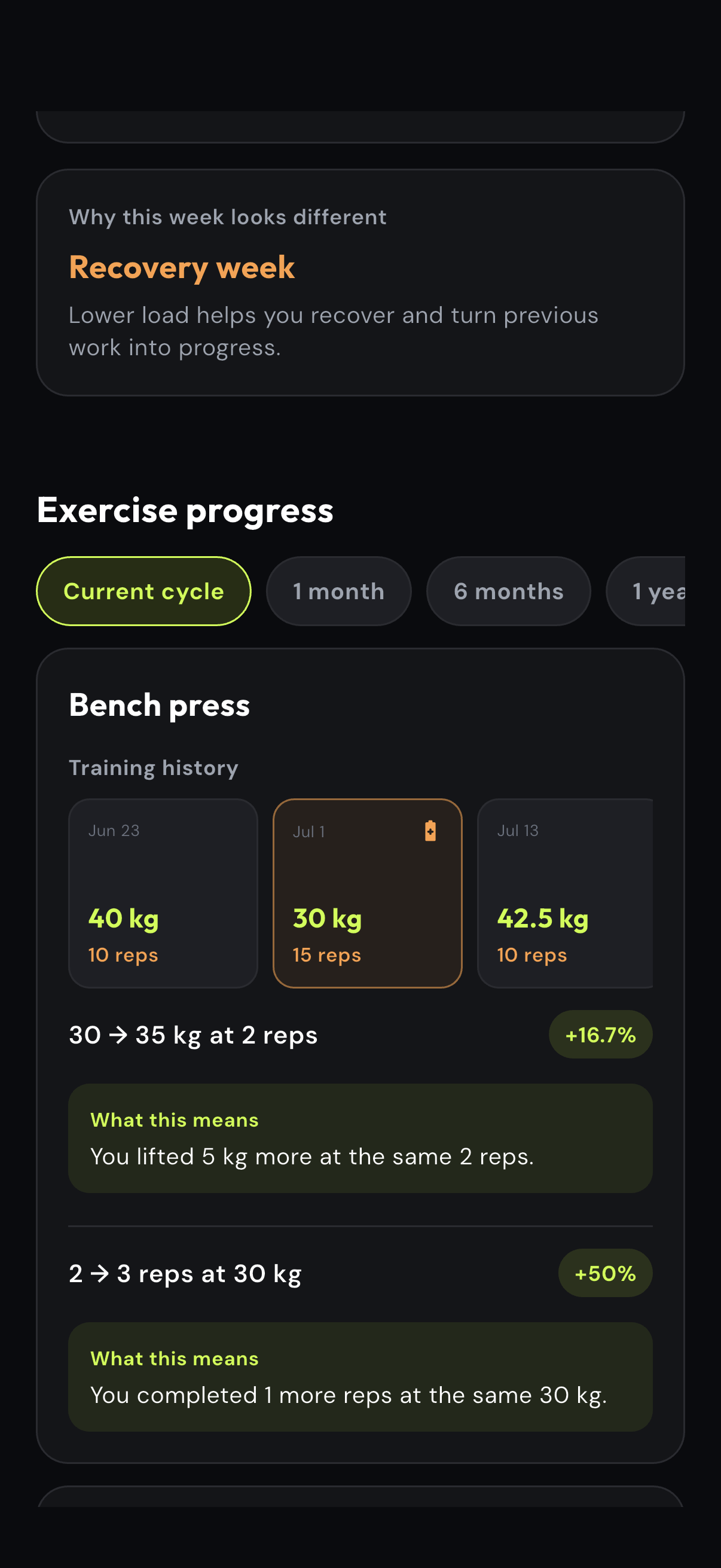
Comparable results explain changes in load or reps instead of showing an unexplained total.
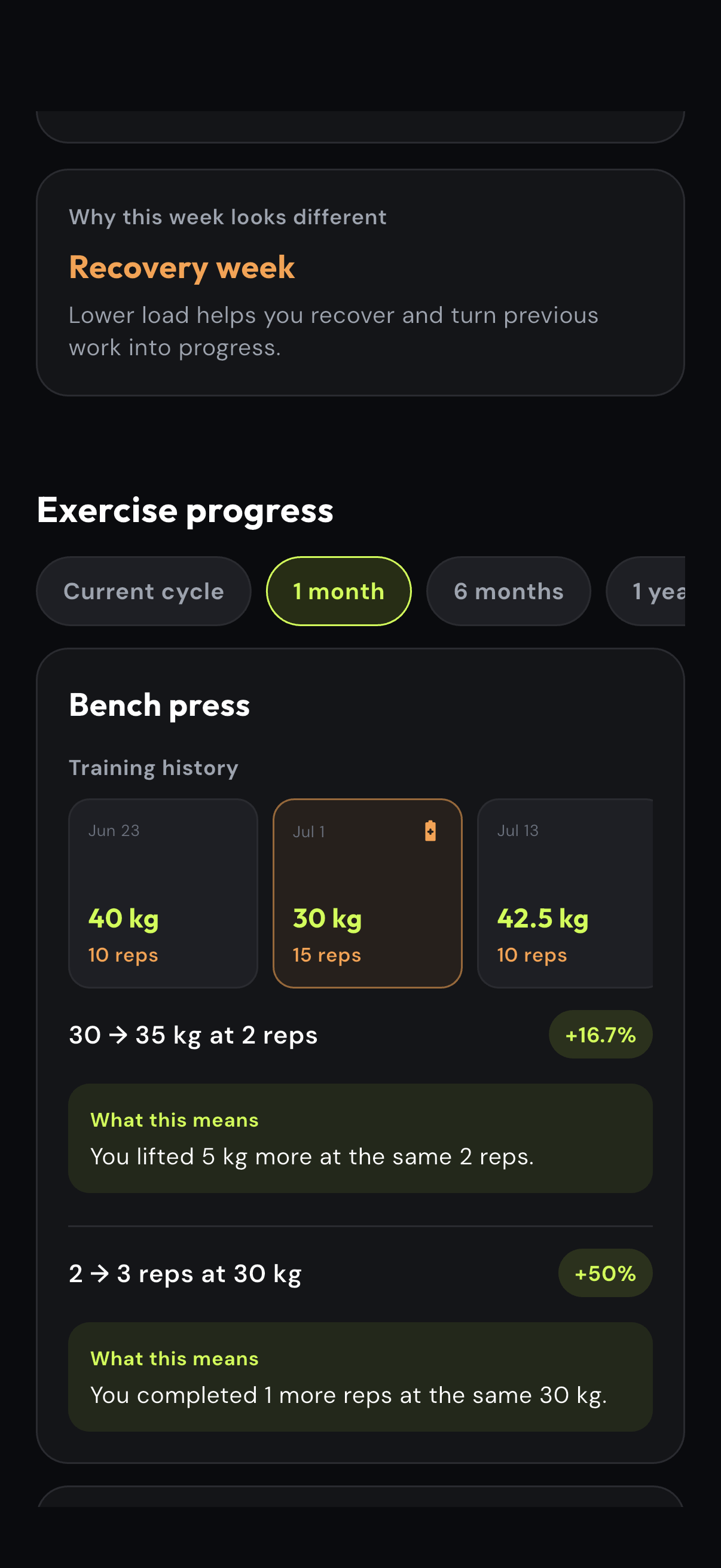
Switch the time range to review recent sessions and how the current phase fits the longer path.
Reviewing history and drafting the next session repeats the same preparation work for every client.
Ask Milo for a structured workout draft grounded in the available client context, then inspect and approve every detail.
Milo can prepare a workout draft from the client context already available in eFitHub. The coach reviews the structured session, checks every exercise and prescription, and explicitly confirms the action before it reaches the client.
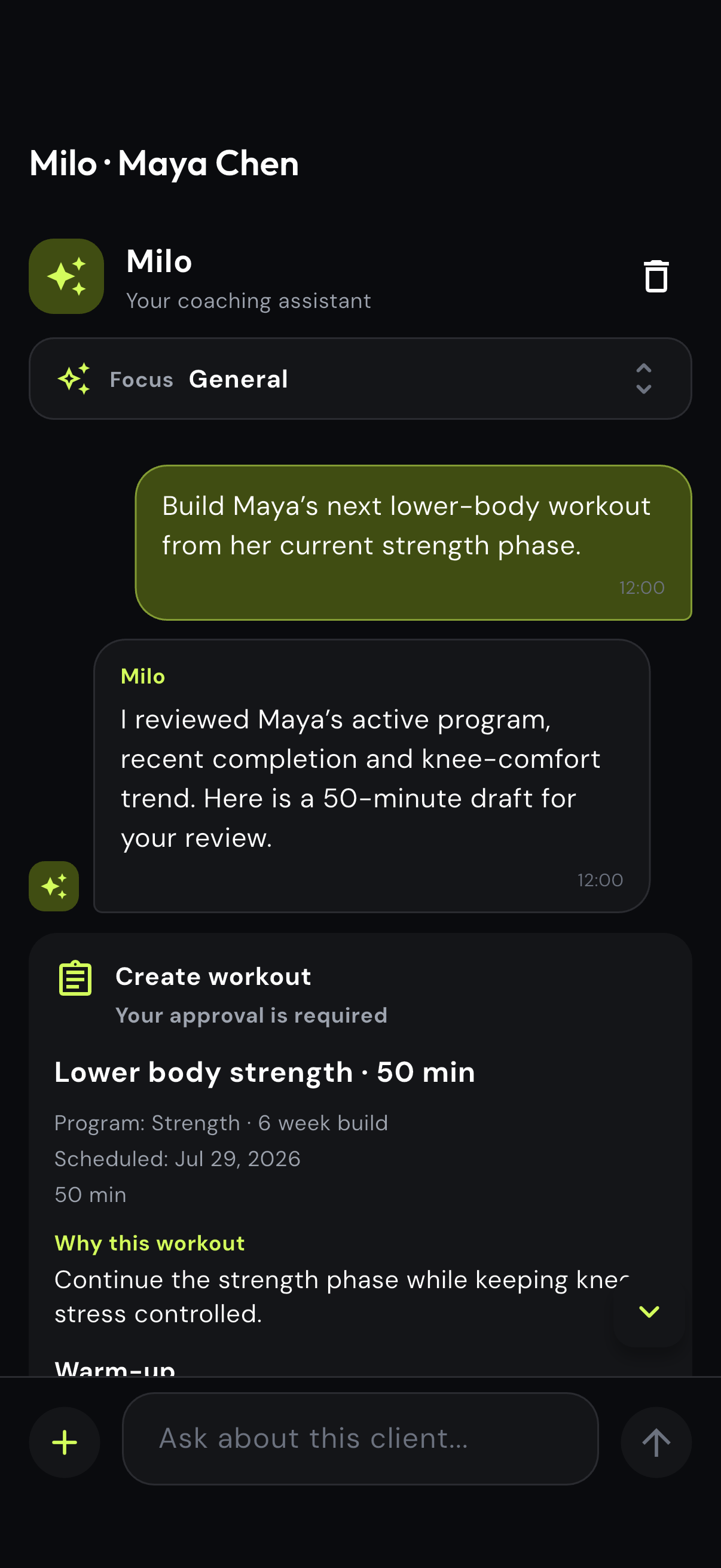
Describe the next workout in normal language while Milo can use the relevant program context.
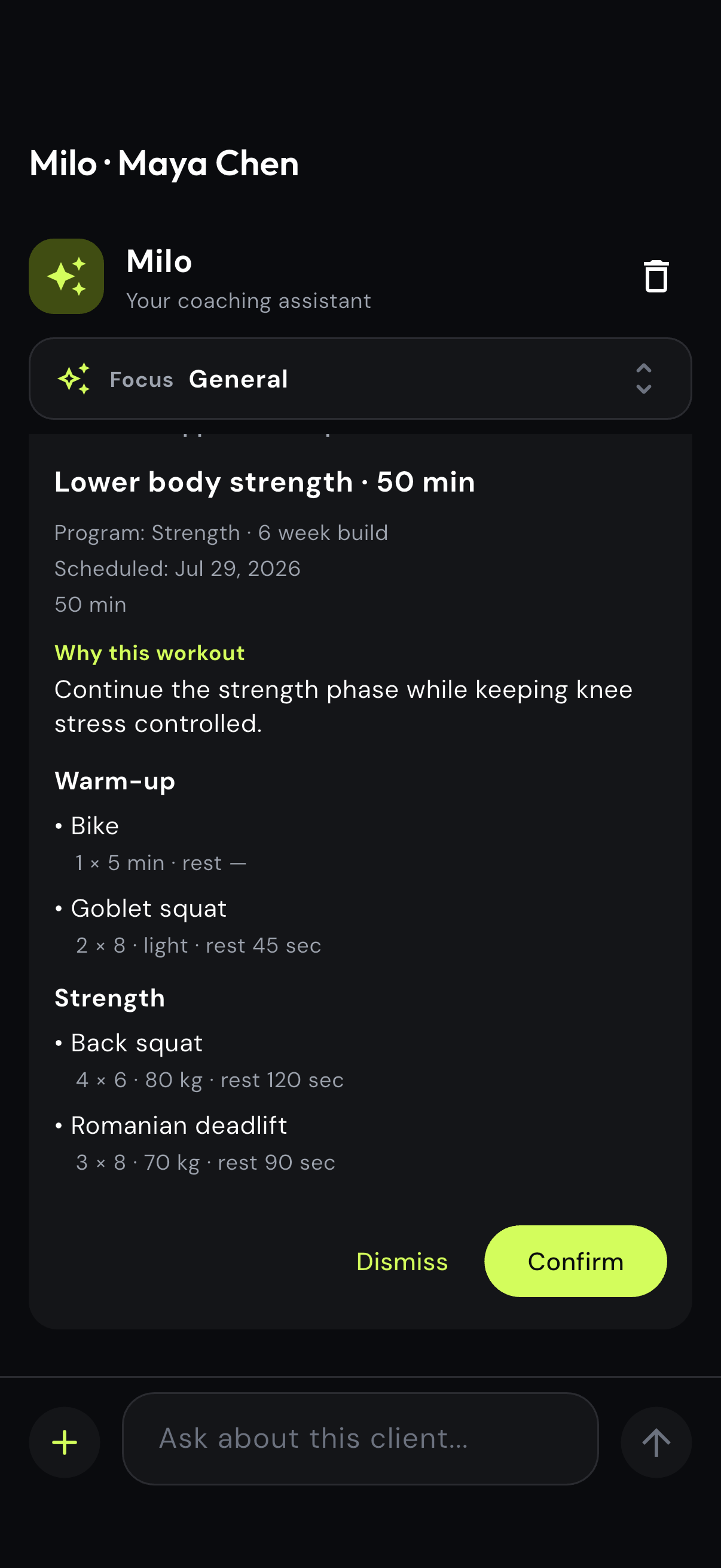
Review the goal, warm-up, exercises, sets, reps, load and rest before anything changes.
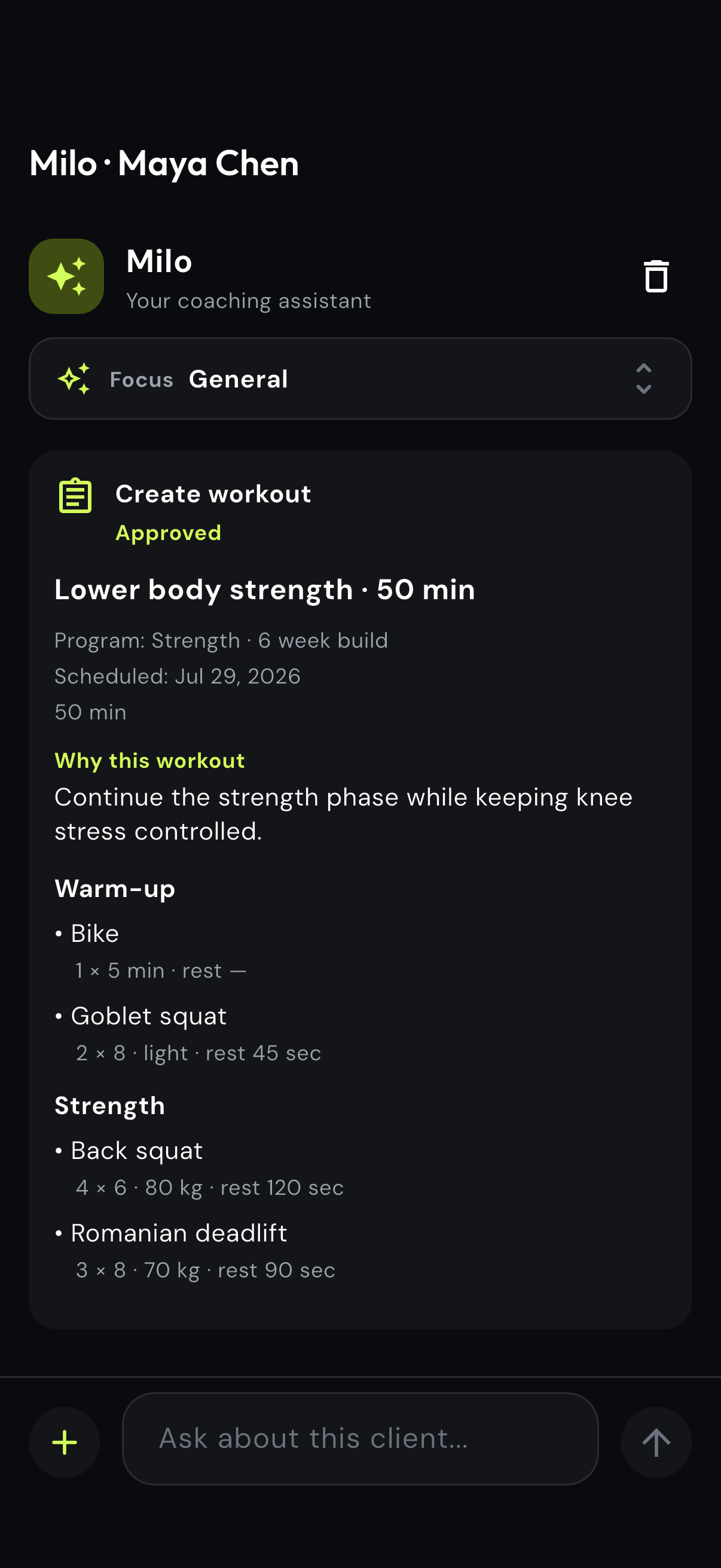
Confirm only after the draft matches the coach’s judgment and the current phase.
Building and sending the same recovery or adherence questions across a roster consumes time but still needs coach judgment.
Describe the check-in once, review Milo’s questions and due date, then approve the client-facing action.
Use Milo to draft routine recovery, adherence or readiness questionnaires without rebuilding the same form for every client. The coach reviews the questions and due date, then approves the check-in before it is sent.
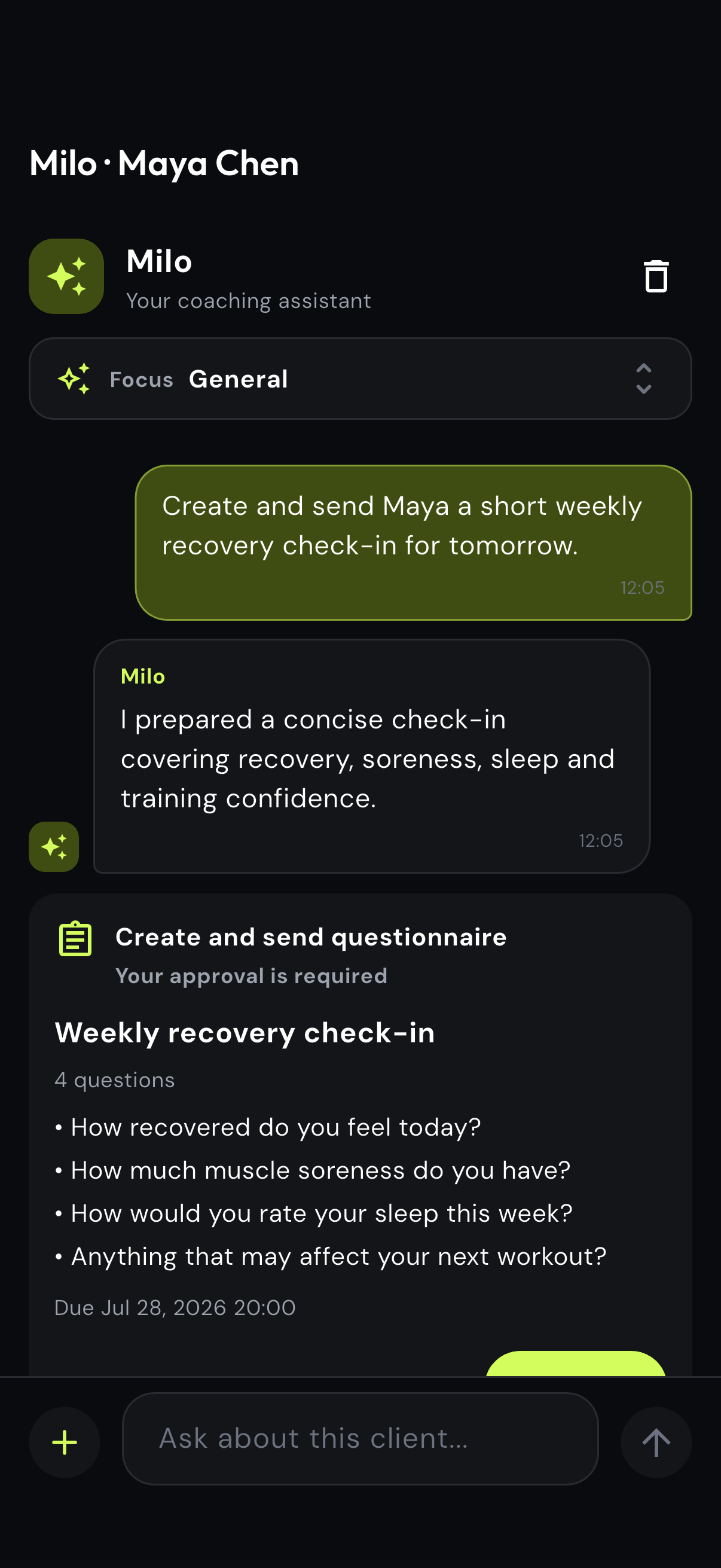
Ask for the purpose, audience and timing in one normal-language request.
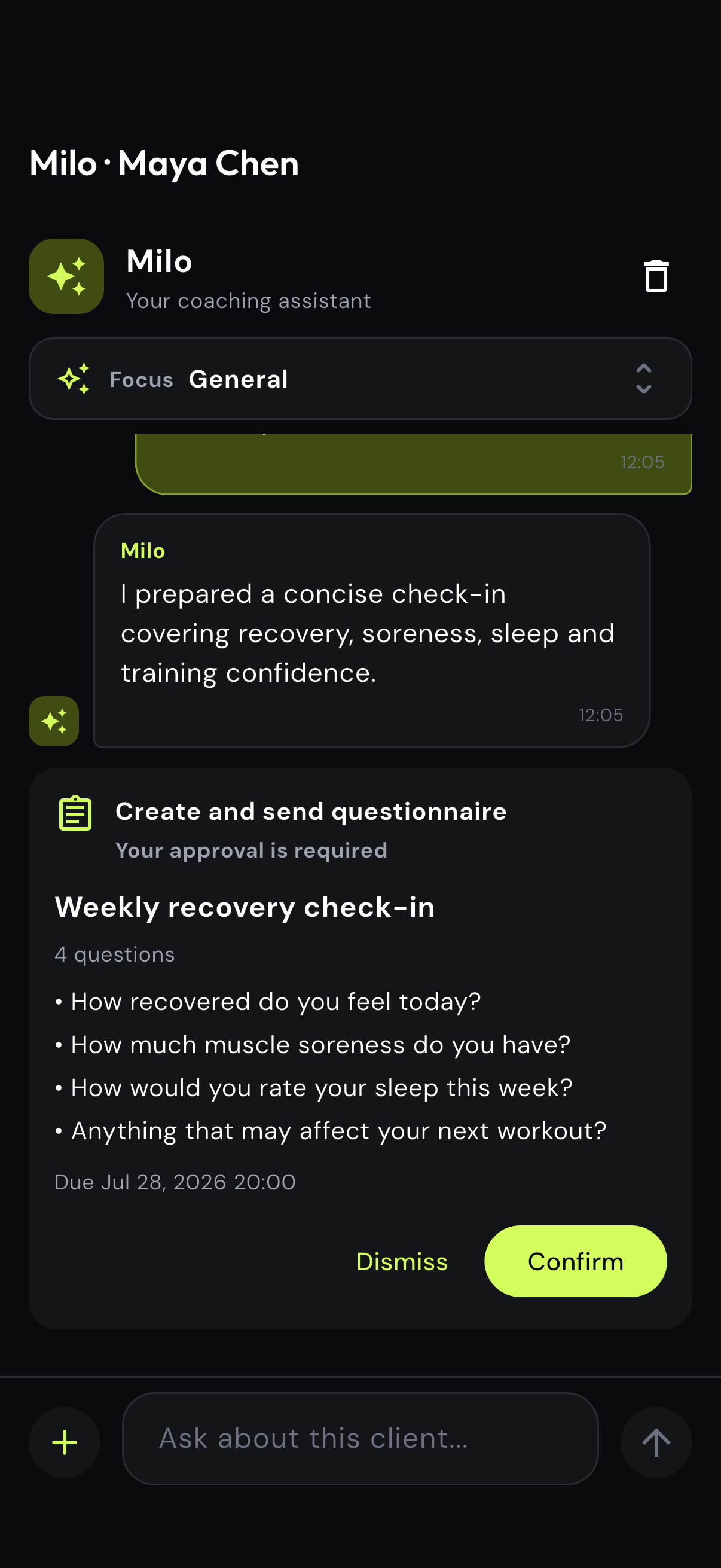
Check the wording, question count and due date in the structured approval preview.
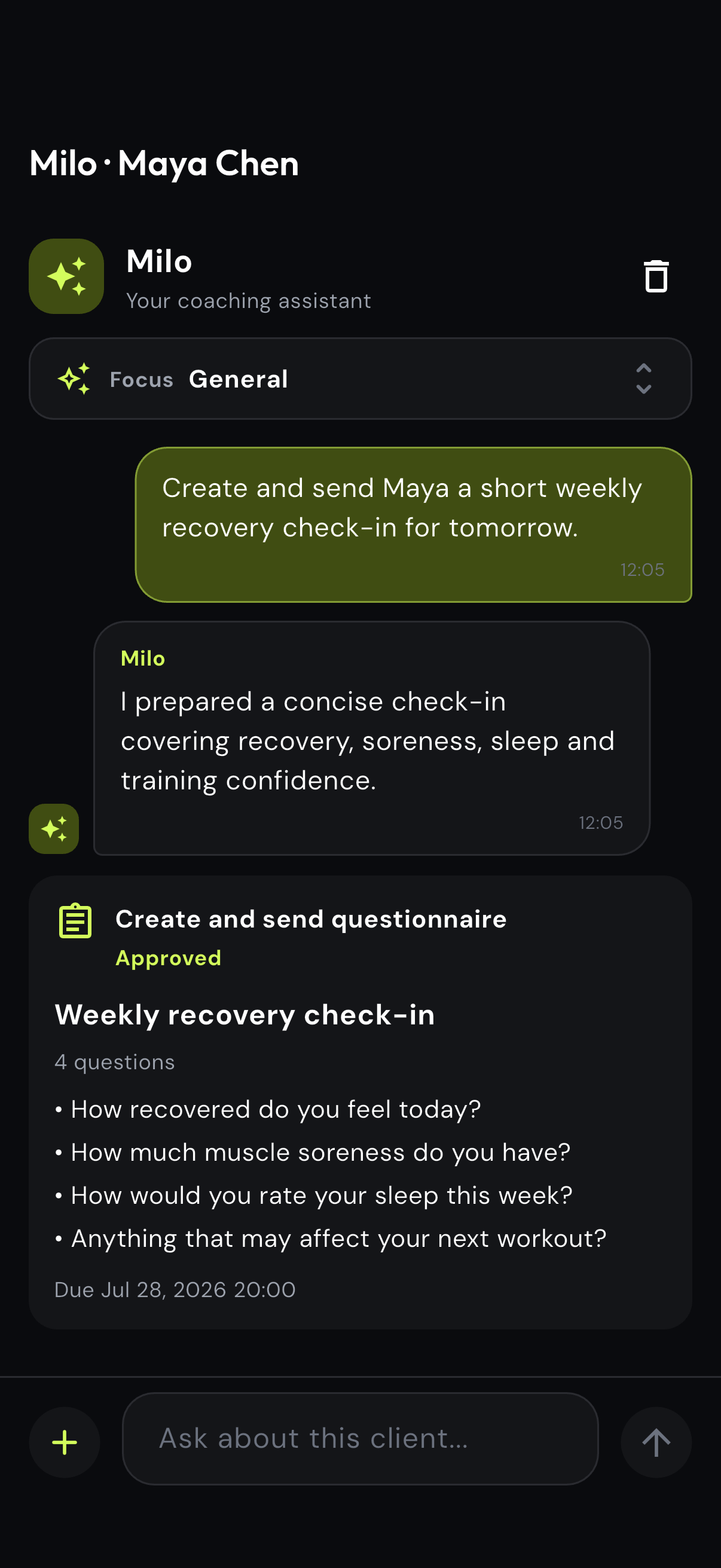
Approve the final check-in only when it matches what the coach needs to learn.
Separate calendars and meeting links make rescheduling easy to miss for both coach and client.
Choose the client, date, time and duration in one flow and keep the live session attached to the coaching relationship.
Keep client workouts, coach meetings and live video sessions on one online coaching calendar. Choose the client, date, time and duration in one flow so schedule updates stay attached to the same coaching relationship.
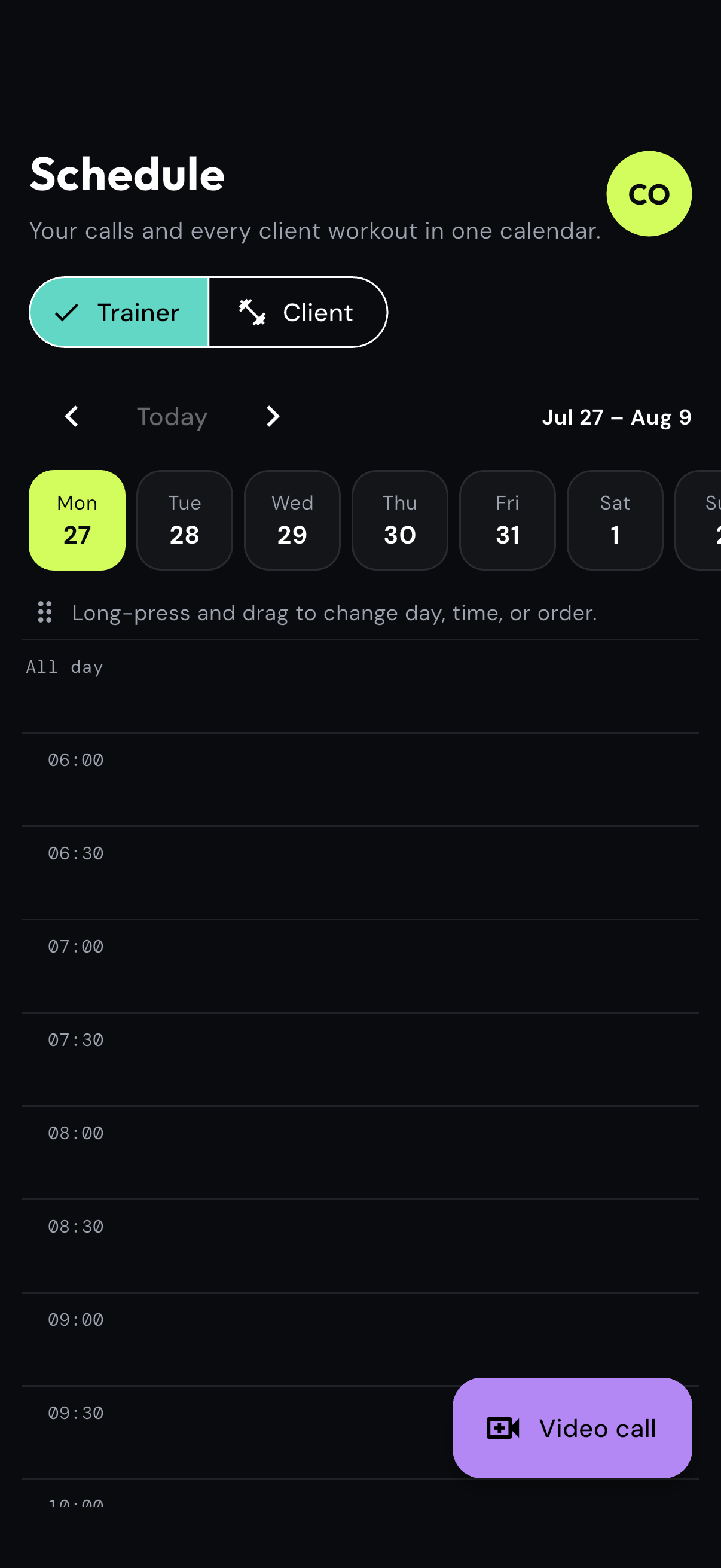
Review coach and client events in one calendar before creating the next touchpoint.
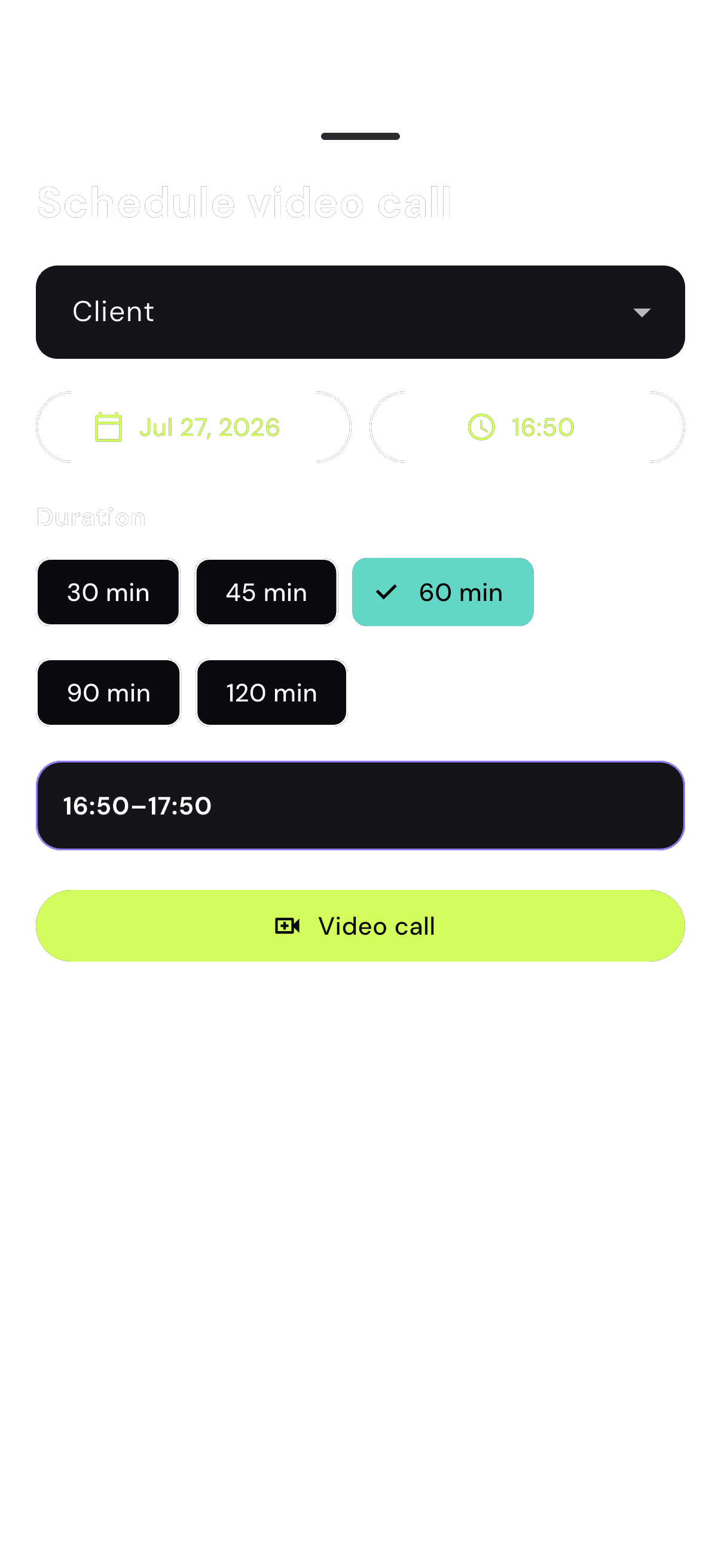
Choose the client, date, time and duration without creating a separate meeting link.
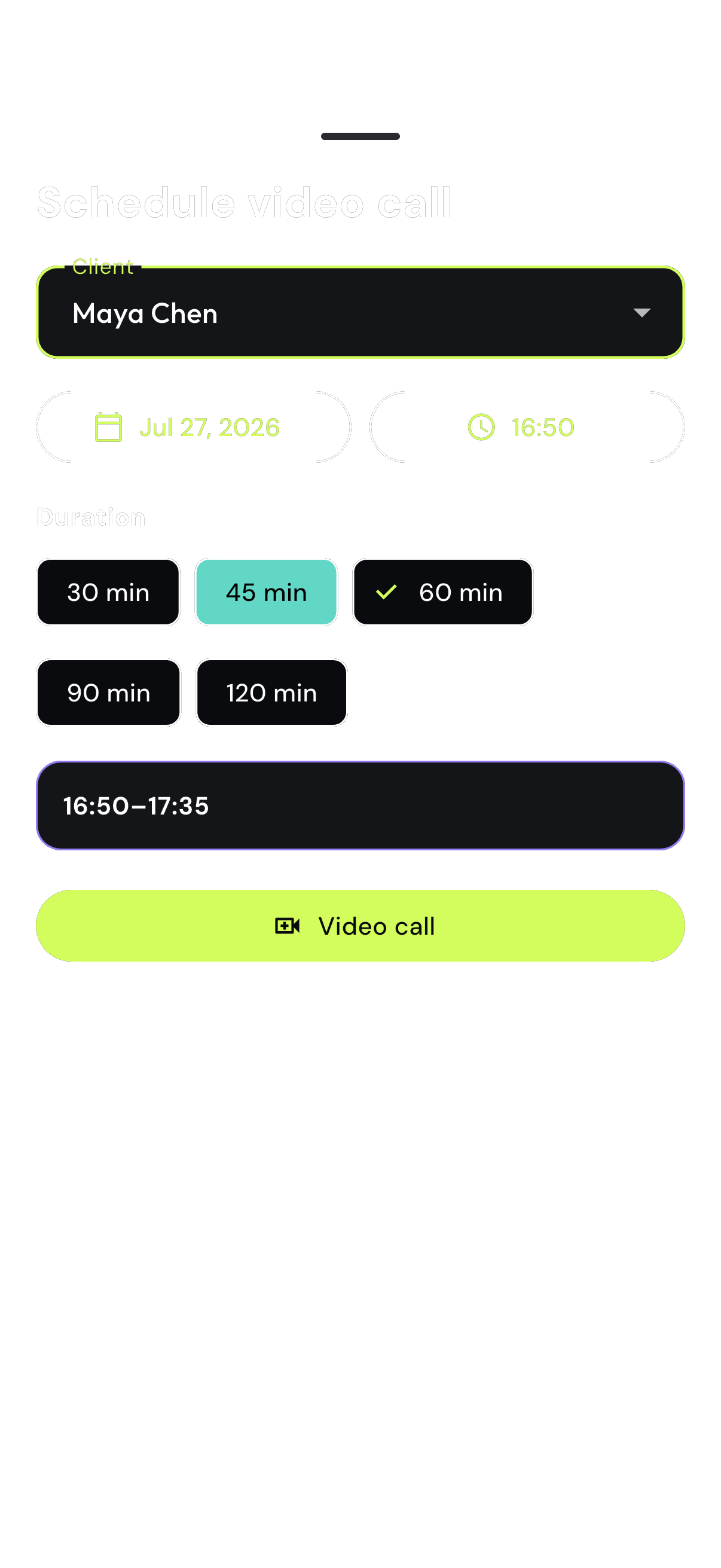
Confirm the participant and time before the session becomes part of the client workflow.
eFitHub replaces the patchwork around online coaching: the plan, delivery, evidence and follow-up remain attached to the same client.
Rewrite workouts between documents, messages and a calendar.
Build once with a structured or text workflow and deliver it to the client app.
Prepare manual reports from disconnected session notes and spreadsheets.
Use captured completion, comparable exercises, measurements and custom metrics.
Search chats, rebuild forms and recreate meeting context.
Keep messages, questionnaires, files and video sessions on the client record.
Use a generic text generator with no structured action or approval step.
Let Milo prepare a client-aware draft, inspect the structured preview and approve it.
Pay separate subscriptions and add-ons as the workflow grows.
Use one platform with every feature included and 0% of client payments.
This comparison is with a typical multi-tool coaching workflow, not a claim that every competing product works the same way.
Ask Milo to prepare a client brief, find an open question or draft a workout or questionnaire from the available context.
The coach stays responsible and in control of every client-facing action.
Ask in normal language
Milo prepares a structured draft
Review every exercise, question and detail
Confirm, edit or dismiss
Every product feature is included. Plans change by capacity, coach seats and monthly Milo credits.
Monthly prices. 0% eFitHub commission on client payments.
A concise sales story from the fragmented stack to a connected coach-and-client workflow.
A product overview for teams that help coaches choose, implement and improve their operating system.
Start with one client and test the complete flow from program to progress.