Less chasing
Routine does not depend on memory
Milo finds follow-up work from real client signals instead of waiting for the coach to remember it.
Programs end. Reviews become due. Clients go quiet. Milo follows the live coaching operation, prepares the right next step in the background and brings the complete result back to you for approval.
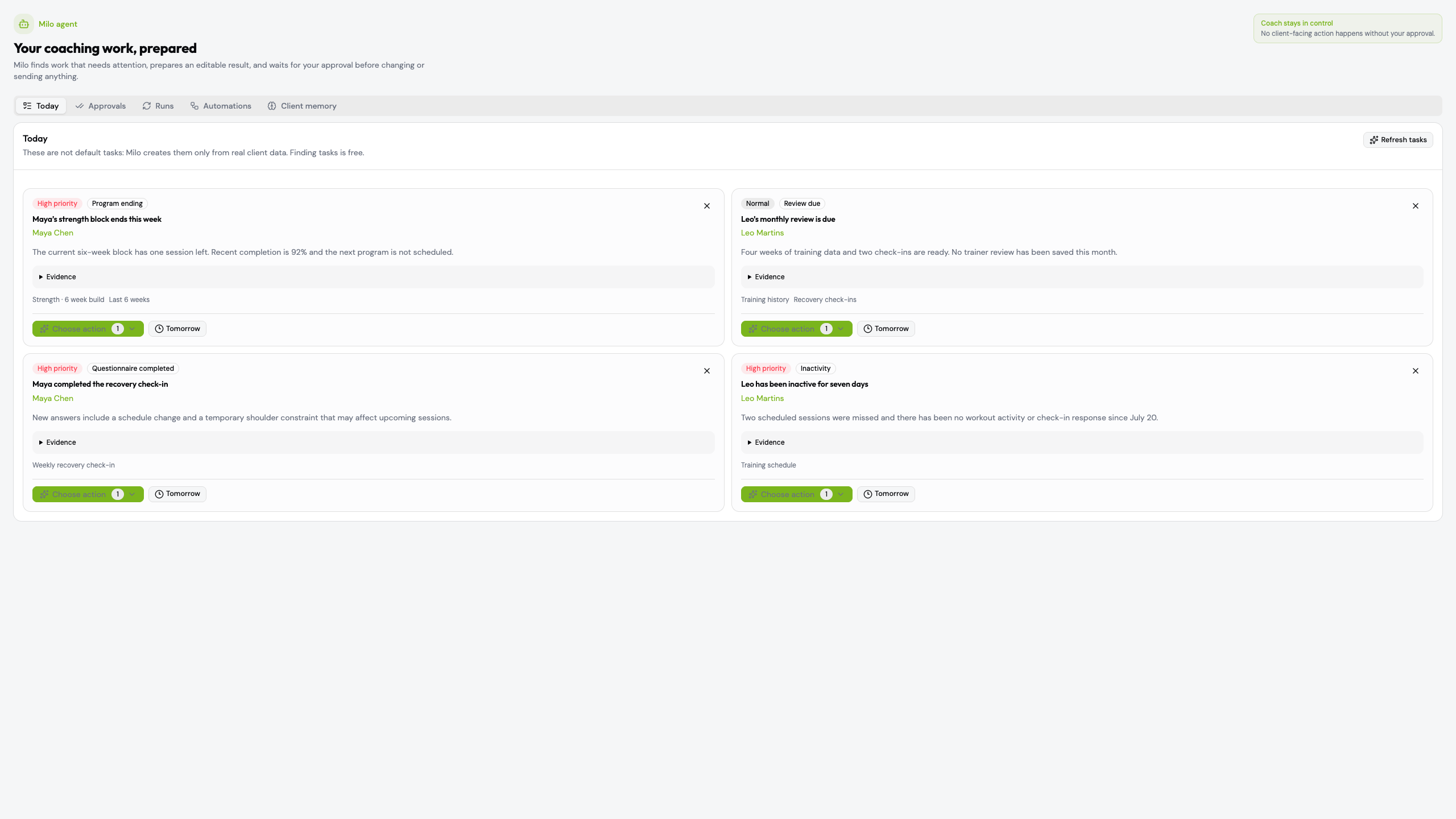
Milo finds follow-up work from real client signals instead of waiting for the coach to remember it.
Current programs, recent training, questionnaires and confirmed client facts stay attached to the task.
The coach can edit, reject or approve every proposal before Milo changes product data or sends anything.
Milo is not a blank chat box. It is an operating layer around the complete coaching workflow.
Read real signals such as an ending program, overdue review, completed check-in or inactivity.
Gather source context and complete the multi-step work as a durable background run.
Show the editable proposal, rationale, sources and exactly what will change.
Create the approved program, note, questionnaire, message or notification in eFitHub.
Keep trainer-confirmed facts available for the next decision without inventing context.
Every surface answers a practical question: what needs attention, what is ready, what is running, what repeats and what Milo knows.
Milo surfaces expiring programs, due reviews, questionnaire responses, inactivity and missing onboarding data with the evidence behind each task.
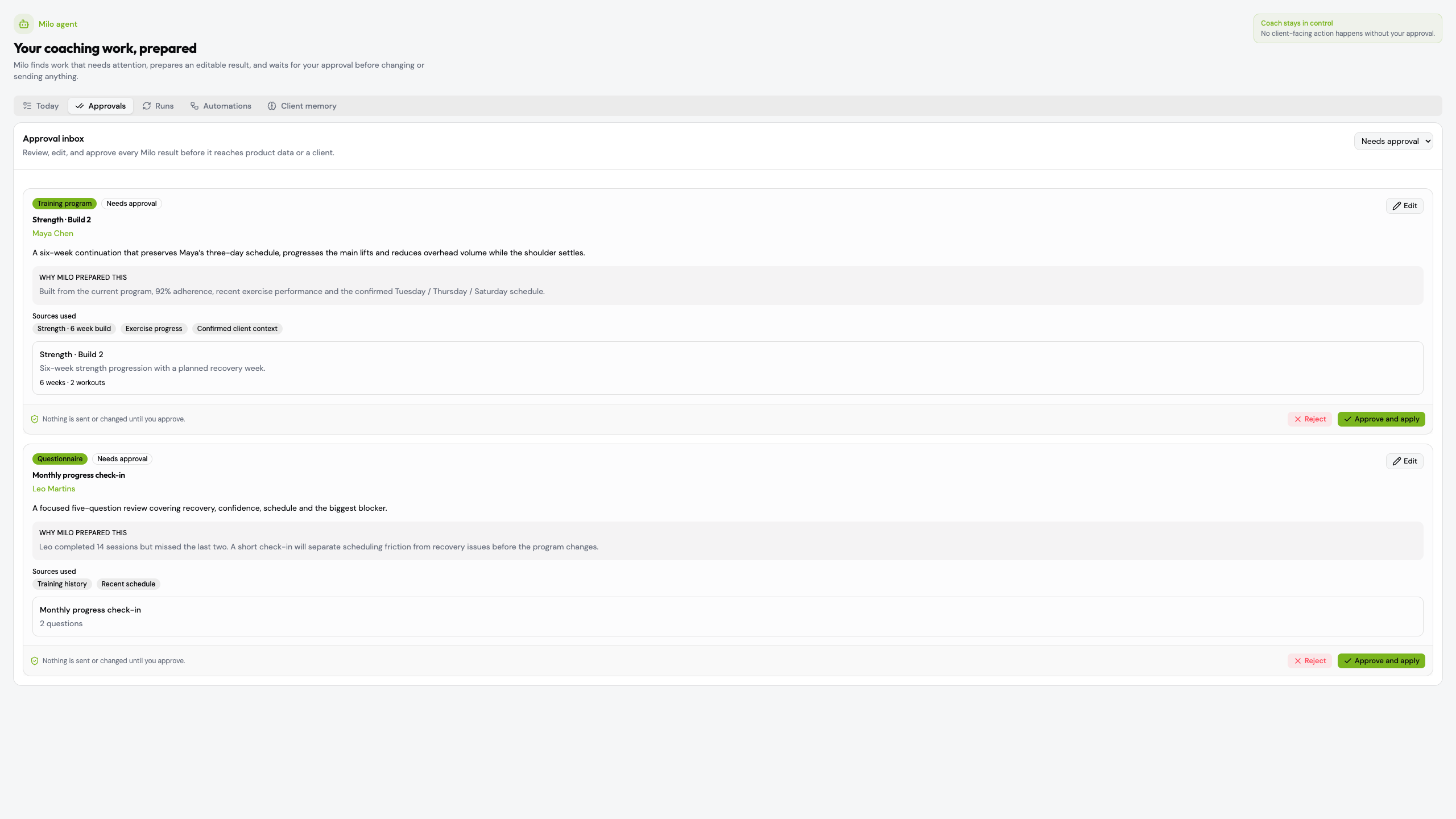
Review and edit structured output, inspect the rationale and source data, then approve or reject it.
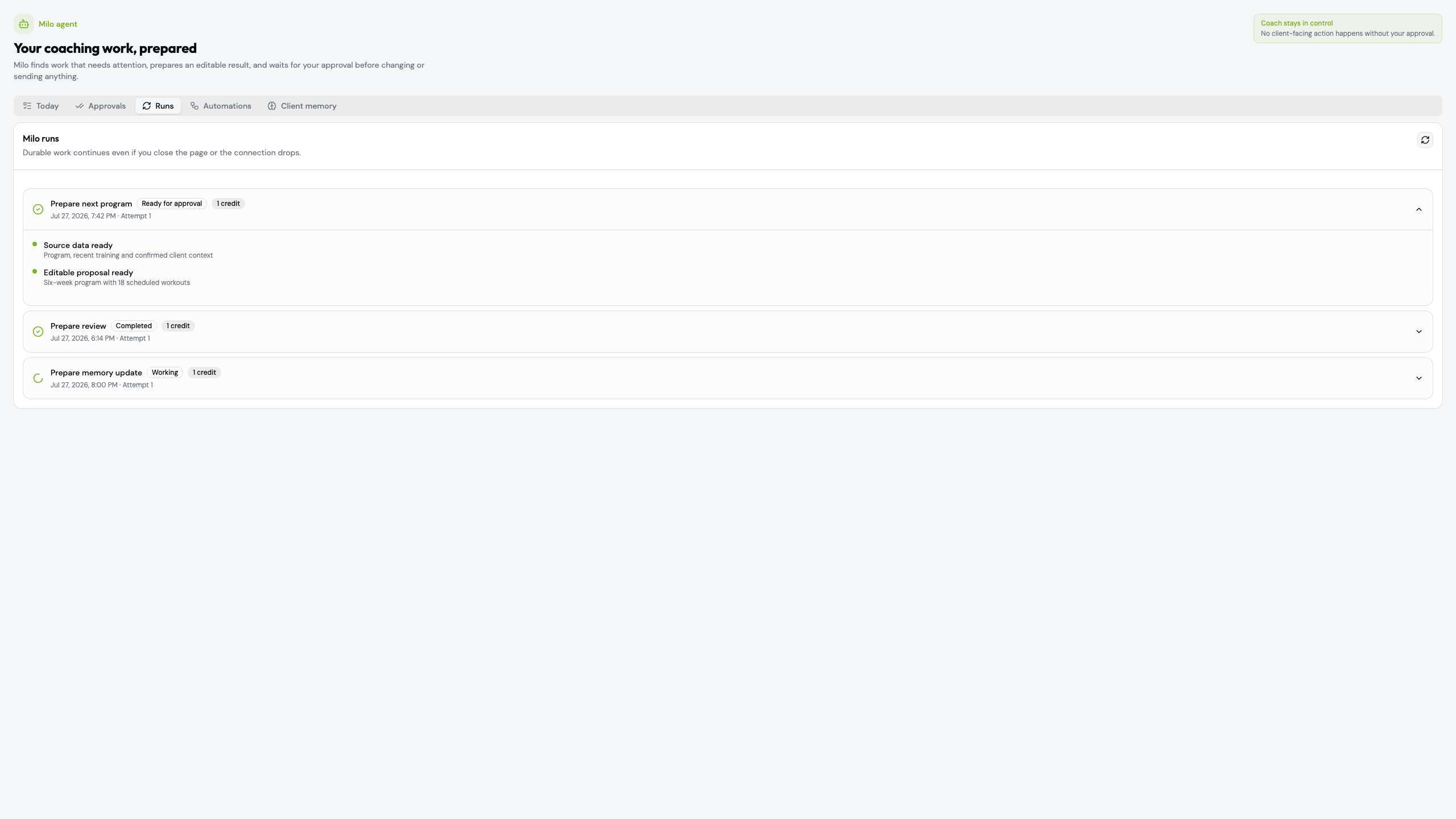
Follow each background run from source collection to an editable result. Retry, cancel and audit the work instead of watching a spinner.
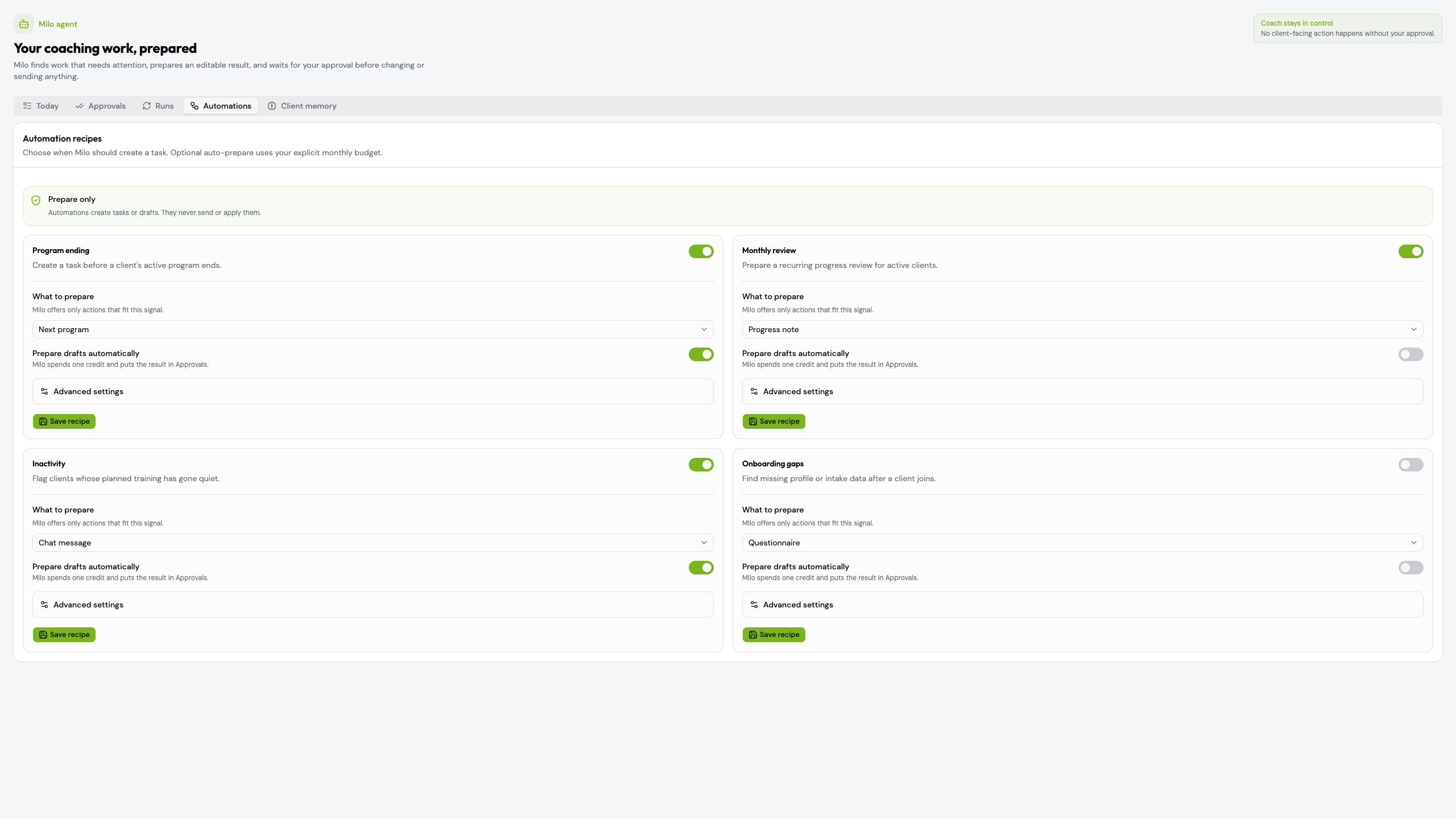
Choose the trigger, action, clients, monthly credit budget and quiet hours. Milo prepares the work; approval policy still applies.
Keep constraints, preferences and goals visible with confidence, provenance and expiry instead of hiding facts in old messages.
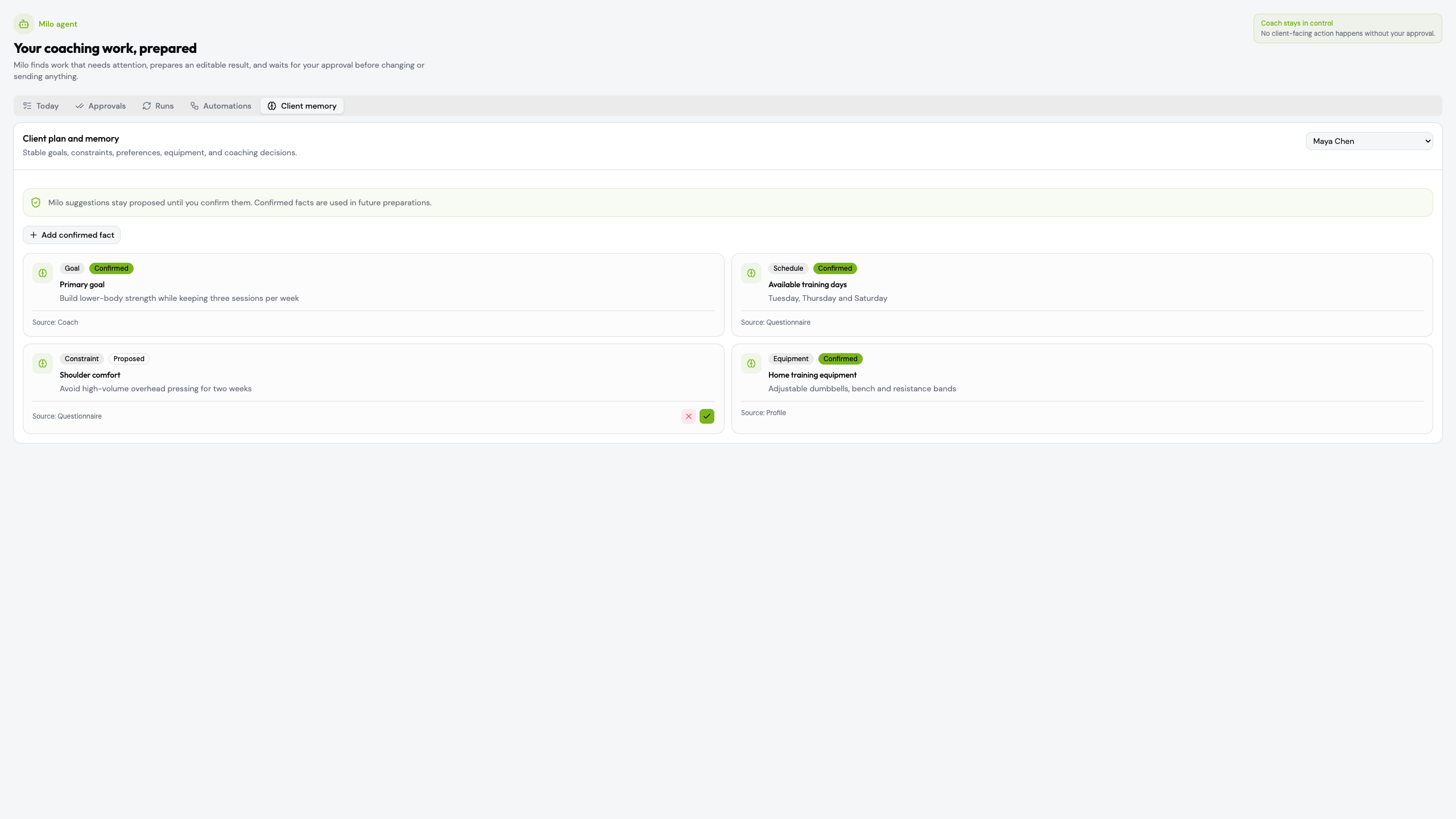
A slow, full-width walkthrough of Today, Approvals, durable Runs, Automations and Client memory using clean demo data.
Milo works inside the same system that already holds the program, schedule, progress, questionnaires and communication.
Milo reduces routine while the coach keeps professional judgment, the client relationship and the final decision.
No product change or client-facing send is applied until the coach confirms the proposal.
The source program, recent training, questionnaire or confirmed client fact stays visible.
Set monthly credit limits and prevent automated preparation during the hours you choose.
Keep specific clients outside an automation without switching off the complete workflow.
Start with one client and see Milo turn live context into a complete, reviewable next step.